

The right legal practice management software isn’t a one-size-fits-all solution. It's the one that feels like a natural extension of your firm’s unique workflows, size, and area of practice.
While general practice firms often find their footing with comprehensive platforms like Clio or MyCase, specialized personal injury firms get a real advantage from software like Ares Legal, which is engineered from the ground up for the complexities of PI cases. Think of this less as buying a product and more as choosing a long-term technology partner for your firm.
Choosing Your Firm's Next Technology Partner

The legal field is in the middle of a massive digital shift, which makes picking the right software more crucial than ever. This guide is designed to reframe your decision-making process: you aren't just making a purchase; you're forming a strategic partnership that will directly impact your firm's efficiency, client service, and ability to grow.
For most firms, the search starts with familiar pain points—scattered case files, clunky billing processes, and frustrating communication gaps. Bringing everything into a centralized platform is the first and most important step to fixing these operational headaches.
This trend isn't just anecdotal; it's backed by serious market growth. The global legal practice management software market was valued at around USD 2.37 billion in 2024 and is on track to blow past USD 5 billion by 2030. This rapid expansion shows an industry-wide commitment to finding better ways to manage cases and maintain compliance. You can find more market insights at datainsightsmarket.com.
Core Objectives for Your New Software
Before you even look at a feature list, you need to be crystal clear about what you expect this software to accomplish. A well-defined roadmap will keep your evaluation focused on the platforms that can deliver real, measurable results for your firm.
Common objectives usually boil down to these key areas:
- Boost Operational Efficiency: Find ways to automate the repetitive, administrative tasks that eat up time you should be spending on billable work.
- Improve Client Communication: Give clients a secure, easy way to get updates and share documents. For firms looking to take this a step further, it's worth exploring the benefits of integrating the best AI receptionist for law firms to manage those initial client contacts.
- Enhance Data Security and Compliance: Make sure sensitive client data is protected with top-tier security protocols that meet industry standards.
- Enable Scalable Growth: Select a platform that can grow with you, whether you're adding new staff or taking on a much larger caseload.
"Choosing the right software is a fundamental business decision. It should free up your team to practice law, not get bogged down by administrative tasks. The best platform becomes an invisible engine that powers your firm's productivity and keeps clients happy."
This guide will give you a complete framework for this evaluation, moving beyond surface-level comparisons to focus on the criteria that truly matter to a modern law practice.
Establishing Your Core Evaluation Criteria
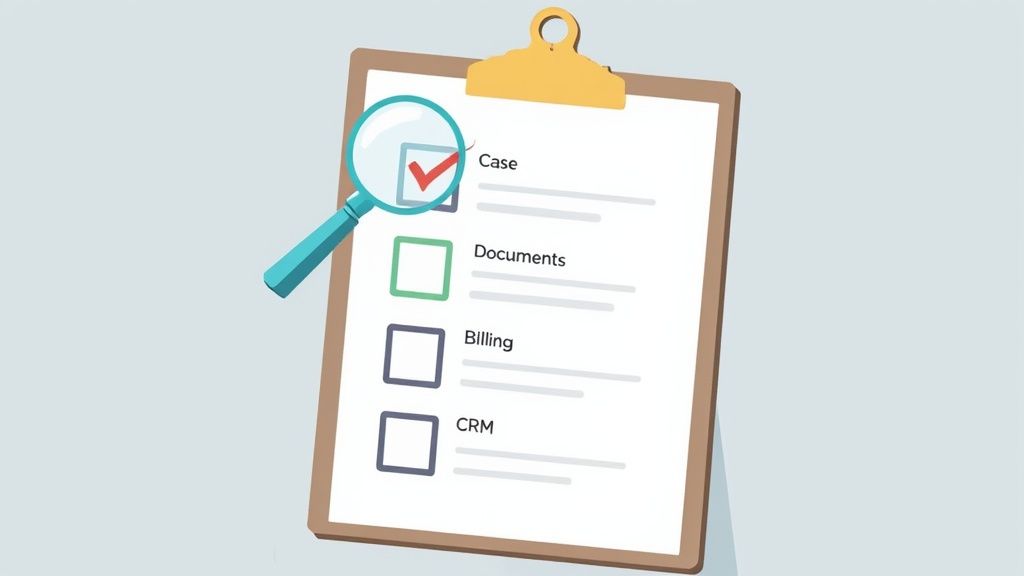
Before you jump into a whirlwind of software demos and sales calls, you need a plan. Without a clear set of criteria, it’s easy to get dazzled by a slick presentation or a niche feature that, in reality, does little to solve your firm's biggest headaches. The goal isn't just to find a tool; it's to find the right tool that fits how you actually work.
This starts with pinpointing your non-negotiables. Think about the daily grind and where the bottlenecks are. Studies show that lawyers in smaller firms can spend nearly 39% of their time on non-billable administrative work. The right software's primary job is to slash that number, giving your team more time to focus on what matters: practicing law.
Case and Matter Management
At its core, any practice management platform must excel at organizing and tracking your cases. This is the central nervous system of your firm. Your evaluation should dig deep into how a platform handles a matter from the first client call all the way to settlement. A generic system might give you a place to store files, but top-tier legal software provides a living, breathing command center for every single case.
As you look at different options, ask yourself these questions:
- Can we build our own workflows? Your firm has a specific process for personal injury claims. Can the software automate task lists that match it?
- How does it handle deadlines? Does it just let you enter dates, or can it automatically calculate deadlines based on court rules and statutes of limitation?
- Is communication centralized? Can you see every email, note, and client text related to a case from one screen, or are you still hunting through inboxes?
A platform that gets this right doesn't just hold your information—it helps you manage it proactively. That’s a critical difference when you're trying to scale your caseload without chaos.
Document Automation and Management
Let's be honest: manually drafting documents is a massive time sink. The right software can turn this tedious chore into a highly efficient, almost automatic process. When evaluating platforms, look for capabilities that go far beyond just being another folder in the cloud.
The real game-changer is software that turns your case data into finished documents. A great system isn't a digital filing cabinet; it's an intelligent assembly line for your firm's most critical paperwork.
Look for powerful document automation. Can you create a template for a demand letter that automatically pulls in the client's name, accident details, and medical provider information? Also, check for solid version control and how easily you can share documents securely with clients, experts, and co-counsel.
Billing and Accounting
Cash flow is the engine of your firm, and your software should make getting paid as frictionless as possible. Juggling separate programs for time tracking, invoicing, and accounting is a recipe for errors and lost revenue. An integrated system ensures every billable minute is captured, invoiced accurately, and tracked until the check clears.
When you're assessing billing features, here’s what to look for:
- Time Tracking: Does it have multiple ways to track time? Even better, can it find unbilled activity automatically?
- Invoicing: How easy is it to create professional invoices for different fee structures, whether it's hourly, flat-fee, or a contingency case?
- Payments: Does it include a built-in payment portal? Letting clients pay online with a credit card or bank transfer is one of the fastest ways to improve collections.
Client Relationship Management
Finally, think about the client's entire journey, from their first call to their final five-star review. A built-in Client Relationship Management (CRM) function is essential for tracking new leads, automating intake follow-ups, and delivering a consistently professional experience. For any firm focused on growth, a streamlined intake process is non-negotiable—it's where you win or lose new business.
Make sure the platform you choose can keep potential clients separate from your active matters. You don't want your case list clogged with unqualified leads. With this foundational checklist in hand, you’re ready to start evaluating software based on what your firm truly needs to thrive.
Analyzing Advanced Software Capabilities
Modern legal practice management software is about more than just storing files and tracking cases. The platforms that truly set themselves apart do so with advanced capabilities that directly shape your firm's security, day-to-day efficiency, and ability to grow. Getting this choice right means finding a solution that doesn't just fix today's headaches but also paves the way for future success.
At the heart of it all are three pillars: ironclad security and compliance, smart AI and automation, and a connected ecosystem of integrations. If any one of these is weak, you'll feel the friction in your daily operations. When all three are strong, you gain a serious competitive edge. For a deeper dive, resources on specialized law firm project management software can provide some great context on features built specifically for the legal world.
Fortifying Your Firm with Advanced Security and Compliance
For any law firm, keeping data secure is table stakes. But when you’re a personal injury firm handling Protected Health Information (PHI), the standard security checklist just doesn't cut it. This is where HIPAA compliance becomes a non-negotiable line in the sand.
A genuinely HIPAA-compliant platform isn't just about encryption. It’s a complete system of protocols for how data is handled, who can access it, and how every touchpoint is logged. This isn't just a "nice-to-have" feature—it's a critical defense against massive legal and financial risks.
When you're kicking the tires on a platform’s security, here’s what to look for:
- Data Encryption: Is data encrypted both while it's moving (in transit) and while it's sitting on a server (at rest)?
- Access Controls: Can you fine-tune permissions so that only specific people can see sensitive case files or medical records?
- Audit Logs: Does the system keep a detailed, unchangeable record of who accessed what and when?
- Business Associate Agreements (BAA): Is the vendor willing to sign a BAA? This is a legal contract that holds them accountable for protecting PHI to HIPAA standards.
You want a partner who built their platform with compliance in its DNA, not one who bolted it on as an afterthought.
Leveraging AI and Automation for Maximum Efficiency
The biggest game-changer in legal tech today is the real-world application of AI and workflow automation. These aren't just buzzwords anymore; they are practical tools that deliver a measurable return by slashing the administrative busywork that drains your firm's resources.
Automation is all about tackling those repetitive, manual tasks that eat up time. Think about automatically creating task lists when a case hits a new milestone, sending out deadline reminders without you lifting a finger, or populating document templates with client data. You can explore this more in our guide on legal workflow automation software.
AI takes it to the next level by tackling more complex, cognitive work. For a PI firm, this is where it gets really interesting. AI-powered tools can churn through thousands of pages of medical records in minutes, pulling out crucial details like diagnoses, treatment dates, and providers.
A personal injury firm using AI to automate the initial review of medical records and draft demand letter summaries can reclaim 10+ hours of manual work per case. This reclaimed time allows attorneys to focus on high-value strategic work, such as negotiation and trial preparation, directly impacting case outcomes and firm profitability.
This isn't just about being a little faster. It fundamentally expands your firm's capacity, allowing you to take on more cases without needing to hire more people.
Building a Connected Practice with Integration Ecosystems
Let’s be honest: no single piece of software can do everything perfectly. The best platforms know this and focus on building a robust integration ecosystem, letting you connect seamlessly with the other tools you rely on every day.
A platform’s ability to talk to programs like QuickBooks for accounting, Office 365 for your email and calendar, and Dropbox for file storage is what creates a true single source of truth for your firm. Without these connections, your team is stuck with double data entry and constantly toggling between apps—a recipe for inefficiency and mistakes.
For a personal injury practice, the integrations that matter most are often highly specialized. Think direct connections to medical record retrieval services or case cost funding platforms. These are the kinds of tailored integrations that create a hyper-efficient tech stack a generalist platform simply can't match. The goal isn't just to see a long list of integrations, but to find the ones that are truly relevant to how your firm works.
To help visualize how different software options stack up, the table below breaks down their approaches to these advanced features.
Advanced Feature Comparison Across Software Tiers
This table compares how different categories of legal software handle advanced features like AI, integrations, and specialized compliance, providing a high-level overview for strategic decision-making.
| Feature Category | Generalist Cloud Software (e.g., Clio, MyCase) | PI-Focused Software (e.g., Ares Legal) | On-Premise Legacy Software (e.g., PCLaw) |
|---|---|---|---|
| Security & Compliance | Strong general security, but HIPAA compliance may be an add-on or unavailable. | Built-in, enterprise-grade security with HIPAA compliance as a core feature. | Security is managed entirely by the firm's internal IT, often lacking modern cloud protections. |
| AI & Automation | Basic workflow automation for general tasks like reminders and document templates. | Advanced AI for specialized tasks like medical record review and demand letter drafting. | Limited to no AI or automation capabilities; relies on manual processes. |
| Integration Ecosystem | Wide range of integrations with general business tools (e.g., QuickBooks, Office 365). | Both general business integrations and specialized connections to PI-specific services. | Very limited or non-existent integrations, creating a closed-off system. |
As you can see, the choice isn't just about features, but about the fundamental design philosophy behind the software—whether it's built for any firm or specifically engineered for the demands of a practice like yours.
Comparing Software for Personal Injury Law Firms

Most software reviews are too generic to be useful. They just don't get the high-stakes, specific needs of a modern personal injury firm. When you're a PI attorney, choosing the best legal practice management software isn't about finding a one-size-fits-all tool; it's about finding a system built for the unique rhythm of a PI case.
The gap between a generic platform and one designed for personal injury is huge. It can mean the difference between drowning in admin work and maximizing your clients' settlements. A typical PI case flows through very specific stages, and a generalist tool might just give you a digital folder for each one. A PI-centric solution, on the other hand, gives you purpose-built tools that actually help you push the case forward.
Let's break down the PI case lifecycle to see exactly where specialized software gives you a real edge.
Excelling at Client Intake and Investigation
The first few days of a new case are a mad dash for information. Your team is scrambling to get client details, pull accident reports, find witnesses, and lock down evidence. A standard CRM can track a new lead, sure, but it does next to nothing to help with the actual investigation that has to happen immediately.
A specialized platform, however, makes your intake process a strategic advantage.
- Custom Intake Forms: These forms are designed from the ground up to capture PI-specific information—incident dates, locations, all involved parties, initial injury details—so nothing critical gets missed on that first call.
- Automated Task Delegation: As soon as the intake is done, the system can fire off tasks automatically, telling a paralegal to order the police report or an investigator to get photos of the scene.
- Conflict Checks: A solid conflict check runs in the background against every party in your firm's history, flagging potential ethical issues before they become real problems.
This kind of structured intake builds a rock-solid foundation for the rest of the case.
Mastering Medical Record Management
This is where PI-specific software really shines. A personal injury case lives and dies on medical evidence, and wrestling with hundreds—sometimes thousands—of pages of records is an enormous job. Just dumping them into a document folder is a recipe for disaster.
For a PI firm, medical record management is not just storage; it’s an active, ongoing process of analysis and summarization. The ability to automatically retrieve, organize, and pull key insights from medical files is the single most important workflow to optimize.
Specialized platforms completely change how you handle medicals. They can connect directly with record retrieval services, automating the entire request and follow-up dance. Even better, the most advanced systems use AI to scan those records, pulling out key data like diagnoses, treatment dates, and provider information, then laying it all out in a clean, chronological summary.
This feature alone can save a firm 10+ hours of manual review per case. That’s time your paralegals and attorneys can spend on actual legal strategy. You can see a deeper dive into how this works in our guide to personal injury case management software.
Driving Higher Settlements
When a case gets closer to resolution, the software’s job changes from organizing to helping you negotiate. Generalist platforms might have basic expense tracking, but they don't have the financial tools you need to build a powerful demand letter and argue for a fair settlement.
PI-focused software gives you the right tools for this critical stage:
- Settlement Calculators: These tools help you pull together all the economic and non-economic damages, keep tabs on medical liens, and run calculations for potential settlement values.
- Demand Letter Automation: The system can grab all the organized case data—incident reports, medical summaries, expense lists—and drop it straight into a demand letter template. You get a comprehensive, persuasive document in a fraction of the time.
- Deadline Tracking: This is a big one. Specialized software includes automatic statute of limitations tracking that adjusts for jurisdiction and incident type, which is a crucial safeguard against malpractice.
By giving attorneys organized data and smart calculation tools, the right software strengthens their hand at the negotiating table. It becomes clear that for a PI firm, the "best" software isn't just a matter of features; it's about finding a system that deeply understands your unique and demanding work.
Decoding Pricing and Total Cost of Ownership
Software pricing models can feel intentionally confusing, making a true apples-to-apples comparison a real challenge. The key is to look beyond the sticker price and start thinking about the software not as a cost, but as an investment in your firm's future.
Most platforms use a per-user, per-month subscription model, which seems simple on the surface. But the devil is always in the details. You’ll often find that critical features—like advanced reporting, specific integrations, or AI tools—are reserved for the pricier tiers. Before you sign anything, map your firm’s absolute must-haves to the vendor's pricing tiers. This simple step can save you from a painful and expensive surprise upgrade down the road.
Looking Beyond the Subscription Fee
That monthly fee is just the beginning. To understand what you'll really spend, you need to calculate the Total Cost of Ownership (TCO), which accounts for all the other expenses that can quickly inflate your budget if you aren't prepared.
Keep an eye out for these often-hidden costs:
- Implementation and Onboarding: Some vendors charge a one-time setup fee, which can run anywhere from a few hundred to several thousand dollars.
- Data Migration: Moving years of case files, documents, and client data from an old system is a delicate operation. Vendors almost always charge for this, and the price tag depends entirely on the volume and complexity of your data.
- Training Fees: While you might get free webinars, personalized training that gets your team up to speed quickly often costs extra.
- Ongoing Support: Is premium, responsive customer support included, or is it an add-on? You need to know before you have a problem.
Calculating Your True Return on Investment
A practical financial mindset is your best tool here. The market for legal tech is booming, with projections showing growth from USD 2.57 billion in 2024 to USD 5.96 billion by 2032. This isn't just a trend; it's a clear signal that firms are investing in solutions that deliver a real, measurable return.
A higher-priced, specialized platform that saves each paralegal five hours per week on administrative tasks will deliver a far greater ROI than a cheaper, generalist tool that only offers marginal efficiency gains. The goal isn't the lowest cost, but the highest value.
When you're at this crossroads, your primary goal—either minimizing upfront costs or maximizing long-term ROI—will point you toward very different solutions.

As the diagram shows, firms focused on driving significant, long-term efficiency and profitability should be looking at specialized software, even if it comes with a higher initial price tag.
The right software should pay for itself by freeing up time for billable work and cutting down on the administrative drag that kills productivity. Don't forget to factor in the security benefits, either. A platform with robust, native security can save you from the astronomical costs and reputational damage of a data breach. You can explore this further in our guide to HIPAA-compliant document management. A thorough TCO analysis is what turns your software from just another expense into a genuine profit center for your firm.
Making the Right Choice for Your Firm
Choosing the right legal practice management software isn't about finding the "best" one on the market. It’s about finding the best fit for your firm—your workflows, your team, and your vision for the future.
A small general practice might do just fine with a broad, all-in-one cloud solution. But a personal injury firm has unique needs. The day-to-day reality of managing medical records, calculating settlement demands, and tracking case milestones means a generic platform will always feel like a workaround. A specialized PI platform, on the other hand, is built for exactly that reality, giving you an immediate advantage.
Your Final Evaluation Checklist
Once you start scheduling demos, the sales pitches can all start to sound the same. To cut through the marketing noise and make a decision you'll be happy with a year from now, you need to go deeper than the feature list.
Use these questions as your guide during trials and demos to see if a vendor is a genuine partner:
- How intuitive is it, really? Forget the guided tour. During your free trial, can your paralegals and attorneys actually perform key tasks without needing a manual? If the learning curve is too steep, your team will never fully adopt it, and you'll lose out on the promised efficiency.
- What happens when something goes wrong? Don't just ask if they have support; ask what it actually looks like. What are the average response times? Are you talking to a real expert who understands law firms, or a generic call center? A great platform with poor support is a liability.
- Where is the product headed? A vendor should have a clear vision for the future. Ask about their product roadmap, specifically what they're planning for AI and automation. This tells you if they're just maintaining the status quo or actively investing in technology that will keep your firm competitive.
The most important question isn't "What can this software do?" It's "How will this software make our daily work better?" The right platform shouldn't feel like another piece of tech to manage; it should feel like the foundation supporting your firm’s growth.
By focusing on genuine ease of use, reliable support, and a forward-thinking vision, you'll find a solution that doesn't just manage your practice but helps you build it.
Frequently Asked Questions
Choosing a new practice management platform is a big decision, and it’s natural to have questions about the process, the features, and the long-term commitment. Getting straight answers is key before you invest in a system that will sit at the core of your firm’s operations. Here are some of the most common questions we hear from firms during their evaluation.
Our goal here is to cut through the marketing noise and focus on what actually impacts your firm's daily workflow and future success.
How Long Does It Take to Implement New Legal Software?
The honest answer? It depends. Implementation time can range from a few weeks to several months based on your firm’s size, the state of your data, and the software itself. A small firm with clean, organized data might be up and running relatively quickly. On the other hand, a larger practice moving decades of complex case files from an old, clunky system should probably plan for a 3-6 month process.
A few key factors will shape your timeline:
- Data Migration Planning: How much data are you moving, and how messy is it? This is almost always the biggest variable.
- Staff Training: You have to account for the time it takes to get everyone on your team genuinely comfortable with the new tools.
- Workflow Customization: Setting up your specific automated tasks, document templates, and intake processes takes time upfront but pays off massively later.
Cloud-based platforms are generally much faster to set up than old-school on-premise software that requires heavy IT lifting. Always press a potential vendor for a realistic timeline based on your firm’s specific circumstances, not their best-case scenario.
What Is the Most Important Feature for a PI Firm?
While every firm wants a comprehensive feature set, if you’re a personal injury practice, everything boils down to two things: robust medical record management and automated statute of limitations tracking. These aren’t just nice-to-haves; they directly address the biggest headaches and highest risks in PI law.
Think about it: your ability to efficiently request, organize, and make sense of mountains of medical records is what builds your case and determines your damages. At the same time, an airtight system that automatically tracks critical deadlines is non-negotiable. Missing a statute is one of the quickest ways to face a malpractice claim.
For a PI firm, software that deeply integrates these functions isn't just a convenience—it's a core risk management tool. It's what separates a good firm from a great one.
Can I Switch Software Providers Later?
Yes, you can switch, but it’s a major operational project you want to avoid if at all possible. The biggest hurdle by far is data migration. This means getting every single case file, document, client note, and billing record out of your old system and mapped correctly into the new one. It’s often a complex, time-consuming, and expensive process.
This is exactly why it’s so important to choose a scalable solution that can grow with your firm from the very beginning. As you evaluate different legal practice management software, be sure to ask pointed questions about their data export policies. You need to know that you own your data and won’t be held hostage by a platform you’ve outgrown.
Ready to see how a platform designed from the ground up for personal injury firms can change your practice? Ares takes the administrative pain out of medical record review and demand letter drafting, saving firms over 10 hours per case.