

Imagine your law practice is a bustling kitchen. You could chop every vegetable by hand, knead every dough from scratch, and stir every sauce until your arm aches. Or, you could bring in a stand mixer, a food processor, and other specialized tools to handle the repetitive, time-consuming prep work.
That's the best way to think about law firm automation software. It’s not here to replace the chef—the lawyer—but to give them the best tools to create exceptional results more efficiently.
What Is Law Firm Automation Software

At its heart, law firm automation software is a class of technology built to take over the routine, repeatable tasks that bog down a legal practice. Think about all the things your team does manually every day: drafting standard documents, sending out appointment reminders, or punching in new client details. This software builds structured, intelligent workflows that get those jobs done automatically.
The whole concept is about pinpointing the administrative friction in your firm's daily operations and using technology to smooth it out. For a broader look at how this works across industries, it’s worth understanding the fundamentals of business process automation (BPA).
This technology isn't just a "nice-to-have"—it solves a critical problem in the legal profession. Studies consistently show that the average lawyer logs only 2.9 hours of billable work per day. The rest of that time gets eaten up by the exact kind of non-billable administrative work that automation excels at.
To see this in action, let's compare how common tasks are handled with and without automation.
Manual Tasks vs Automated Workflows in a Law Firm
The difference between a manual process and an automated one is night and day. The following table breaks down a few common examples to illustrate the real-world impact.
| Manual Task | Automated Workflow Solution | Primary Benefit |
|---|---|---|
| Client Intake: Staff manually enters new client info from a form into multiple systems (CRM, case management, billing). | Client completes a smart form online; software automatically creates a client record and populates all connected systems. | Time Savings & Error Reduction |
| Document Drafting: Paralegal copies and pastes client data into a retainer agreement template, then manually fills in details. | System auto-generates the agreement using pre-approved templates, pulling all necessary information directly from the client's file. | Increased Speed & Consistency |
| Appointment Reminders: An assistant calls or emails each client the day before a scheduled meeting or deposition. | Software automatically sends a series of SMS and email reminders at set intervals before the appointment. | Reduced No-Shows & Staff Workload |
| Status Updates: Team members field calls and draft emails to update clients on case progress. | Client portal provides 24/7 access to case status, key documents, and upcoming dates, with automated milestone notifications. | Improved Client Experience & Fewer Interruptions |
As you can see, the shift isn't just about doing the same tasks faster; it's about fundamentally redesigning the workflow to be more reliable and efficient.
The Foundation of a More Efficient Firm
This goes far beyond a simple checklist or to-do list app. Real law firm automation builds an interconnected ecosystem where one action automatically triggers the next, all without a human needing to step in.
This isn't just a passing trend; it's a massive shift in the market. The global legal AI software market is on track to grow by USD 2,924.4 million between 2025 and 2029, a surge driven by firms adopting these exact kinds of technologies.
That growth is happening for a reason. The benefits are clear, measurable, and help create a more profitable, client-centric practice.
- Boosted Productivity: Automating tasks like document assembly and client intake gives attorneys and paralegals back hours every week. That’s more time for case strategy, client calls, and high-value legal work.
- Drastically Reduced Errors: Manual data entry is a minefield for typos and mistakes. Automation ensures a single source of truth, populating information accurately across every document and system.
- A Better Client Experience: From automated welcome emails to regular case updates, clients feel informed and cared for. This builds trust and cuts down on the constant "just checking in" phone calls.
At its core, law firm automation software is a strategic tool for converting non-billable administrative time into billable, high-impact legal work. It empowers your team to operate at their highest capacity.
Ultimately, these platforms provide the operational engine for a modern law firm. They empower firms to manage a larger caseload without sacrificing quality, reduce overhead, and deliver a level of service that sets them apart from the competition.
What to Look for in PI Automation Software
Personal injury law is a different beast altogether. It's a world of high-volume caseloads and mountains of documents where a single missed detail can make or break a case. While any old automation tool might offer some help, a PI firm needs software built for its specific, high-stakes workflow. We're not just talking about saving a few minutes here and there; we're talking about building stronger, more valuable cases from the very first client call.
The right features turn your biggest operational headaches into your greatest strengths. Let's move past generic feature lists and look at the tools that truly empower a PI firm to handle more cases without ever compromising on client care.
Intelligent Client Intake and Onboarding
The intake is your first and best chance to get the facts straight. A basic web form just doesn't cut it. What you need are intelligent intake forms that actively guide the conversation, asking smarter questions based on the client's answers.
Think about it: a client mentions they were in a car accident. The form should immediately pivot to ask for the make and model of the cars involved, the police department that responded, and any witness information. This isn't just data entry; it's the first step in building the case file. It populates the record instantly, slashes the risk of human error, and gives your legal team a running start.
Getting this right from the beginning sets a tone of professionalism and efficiency that clients will remember, especially during the stressful aftermath of an injury.
AI-Powered Medical Record Summarization
Every personal injury case lives and dies by its medical evidence. It’s not uncommon for a single client file to contain thousands of pages of records from a dozen different providers. Having a paralegal manually sift through all that is one of the biggest time sinks in any PI practice.
This is where AI-powered summarization completely changes the game. The right software can:
- Extract Key Data: It intelligently pulls out provider names, dates of service, specific diagnoses, and billing codes automatically.
- Build a Medical Timeline: It organizes every appointment, procedure, and diagnosis into a clean, chronological story of the client's treatment and recovery.
- Spot the Gaps: The system can flag missing records or significant gaps in treatment—the very things defense attorneys love to exploit—so you can fix them early on.
This technology doesn’t just scan documents; it translates a chaotic pile of medical jargon into a structured, searchable, and strategic asset. It turns a mountain of paper into the clear story of your client's ordeal.
By automating this review, firms can compress what used to be weeks of painstaking work into just a few minutes. Your paralegals are then free to focus on what they do best: communicating with clients and helping build the case strategy.
Automated Deadline and Statute Tracking
Missing a statute of limitations is a cardinal sin in personal injury law. When you’re juggling hundreds of cases, relying on a manual calendar system is a recipe for disaster and sleepless nights.
This is why law firm automation software with rule-based deadline tracking is non-negotiable. As soon as you create a new case, the system should automatically calculate and docket every critical deadline based on the incident date and local jurisdiction. It's a safety net that ensures nothing falls through the cracks. The software sends out escalating reminders to the whole team, giving you bulletproof compliance and total peace of mind. To see how this fits into the bigger picture, check out our guide on personal injury case management software.
Templated Document and Demand Letter Assembly
Think about all the time your team spends drafting retainer agreements, medical record requests, and demand letters. So much of it is repetitive. Document assembly automation ends that grind by using smart templates that pull data directly from the case file.
Picture this: you need to draft a comprehensive demand letter. Instead of manually copying and pasting the client’s name, injury details, and medical expenses, the software does it all. It takes your pre-approved template and instantly populates it with:
- Client and defendant information
- A clear summary of the incident
- A full chronology of medical treatments
- A running total of all medical bills and lost wages
This doesn't just save time—it guarantees consistency, eliminates embarrassing typos, and gets your demands out the door faster. A task that used to take hours can now be done in minutes, dramatically speeding up your settlement negotiations and improving your firm's cash flow.
Automating Workflows with Real-World Examples
It’s one thing to talk about the features of law firm automation software in the abstract, but it’s another thing entirely to see how they actually work in a real personal injury firm. The benefits really click when you can picture exactly how these tools fit into your team's daily grind. So, let's step away from the theory and walk through two of the most critical automated workflows for a modern PI practice.
These examples show how automation isn't just about doing things faster. It's about completely re-engineering old processes for better efficiency and fewer mistakes. This flow illustrates how each step connects to push a PI case forward, from intake to resolution.
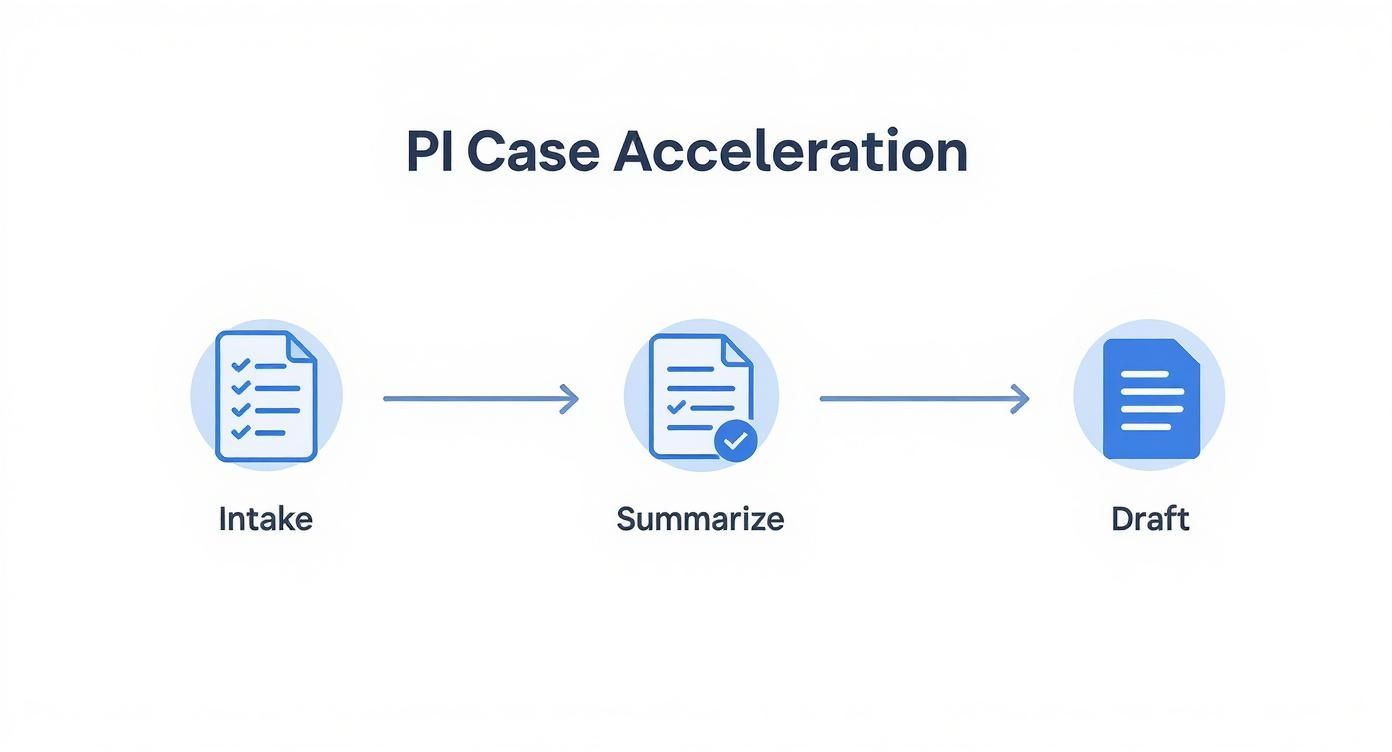
As you can see, it’s a straight shot. Automated intake flows directly into AI-powered summarization, which then feeds perfectly structured data into the drafting stage. This eliminates the bottlenecks that typically slow cases to a crawl.
Transforming Medical Record Review
Ask any PI paralegal about their biggest headache, and they’ll probably point to a mountain of medical records. A single case can easily produce thousands of pages of dense, poorly organized documents from a half-dozen different providers. The old way of doing things? A paralegal would spend countless hours reading, highlighting, and manually piecing together a timeline—a mind-numbing task where it's all too easy to miss something critical.
Automation blows that entire workflow up.
- Effortless Upload: Forget the printers and binders. Your team just drags and drops all the client's medical records—PDFs, images, you name it—into a secure platform.
- AI-Powered Analysis: The software’s AI and Optical Character Recognition (OCR) get to work instantly. It scans every single page, pulling out the crucial data points with a level of speed and accuracy a human just can't match.
- Structured Data Output: In just a few minutes, the system spits out a clean, organized summary. This isn't just a wall of text. It's structured data—a clear medical chronology with providers, dates, diagnoses, and even CPT billing codes all laid out.
What once took days of painful manual labor is now done in the time it takes to grab a cup of coffee. The result is a searchable, sortable file that’s a strategic asset, freeing up your team to focus on building the case, not buried in paperwork.
Accelerating Demand Letter Drafting
Drafting a strong demand letter requires skill and legal insight, but getting all the information into it is mostly just tedious data entry. Document automation transforms this multi-hour chore into a process that takes minutes, using the same data that was just extracted from the medical records.
This is a huge reason for the explosive growth in legal tech. The market for legal document automation software was pegged at USD 605.21 million in 2024 and is on track to hit USD 1,551.92 million by 2033. Firms that have made the switch report cutting their document prep time by an average of 63%. That’s a powerful testament to how effective these tools really are.
Here’s how simple it becomes:
- Step 1: Select Your Template: Your paralegal pulls up one of your firm’s pre-approved demand letter templates from the software’s library.
- Step 2: Link the Case File: With a single click, they connect the template to the client’s file, which is already loaded with all the data from the intake forms and medical summaries.
- Step 3: Auto-Populate the Draft: The software instantly grabs all the key details—client info, incident descriptions, treatment timelines, and a running total of medical expenses—and plugs them into the correct spots in the template.
- Step 4: Review and Finalize: A nearly perfect draft appears in seconds. An attorney or paralegal can then give it a final review, add the high-level legal arguments, and get it out the door.
By automating these core tasks, your firm doesn't just save hundreds of hours; it also ensures a consistent, high-quality work product on every single case. For a deeper look at optimizing these processes, you can learn more about legal workflow automation software in our related article.
How to Choose the Right Automation Partner
Picking an automation platform isn't like buying a new printer. You’re not just acquiring a tool; you're bringing on a long-term partner and entrusting them with your firm's most sensitive data. The decision demands a deeper look than a slick sales demo and a list of features can provide.
A great partner will feel like a natural extension of your team, helping you scale and adapt. The wrong one? It becomes a source of endless headaches, security risks, and operational gridlock. Here’s what you need to focus on to make a smart, sustainable choice.
Security and HIPAA Compliance Are Non-Negotiable
For any law firm, data security is table stakes. But for a personal injury practice that lives and breathes Protected Health Information (PHI), it’s an ironclad, deal-breaking requirement. A breach isn’t just a hit to your reputation—it can bring devastating legal and financial consequences.
Your first and most intense line of questioning for any potential vendor should be about their security posture. Don't be timid. Ask the hard questions and demand proof.
- Encryption Standards: All your data, whether it’s sitting on their servers or moving between systems, must be locked down with robust, end-to-end encryption.
- Access Controls: The platform needs to let you define who sees what. Role-based permissions are crucial to ensure staff can only access the client information they absolutely need.
- Business Associate Agreement (BAA): This is the big one. If a vendor will ever touch PHI, they must sign a BAA. It’s a legal contract that holds them accountable for protecting client data under HIPAA. If they hesitate or refuse, walk away. Immediately.
A vendor's commitment to security is a direct reflection of their commitment to your firm's survival. Proactively addressing application security vulnerabilities should be a core part of their development cycle, not an afterthought.
Evaluate AI Accuracy and Real-World Performance
Plenty of vendors are happy to talk about their "AI capabilities," but the quality of that AI can be all over the map. You need to know if the software can actually make sense of a convoluted medical record or generate a demand letter that doesn’t need a complete rewrite. A canned demo simply won't cut it.
Insist on a pilot program or a trial where you can use your own anonymized case files. It’s the only real way to see how the software handles the messy, complex documents your team grapples with daily. A key part of this test is seeing how well the AI performs as a medical record review service.
During this trial, benchmark its performance against your team’s manual work. Is the AI-generated summary actually useful? Did it catch every provider and key date? An accuracy rate below 95% on critical data points is a serious red flag.
Seamless Integration and Realistic ROI
The most powerful automation tool is useless if it lives on an island. It has to play nicely with the systems you already depend on, especially your case management and accounting software. A clunky platform that doesn’t integrate just creates more work, completely defeating the purpose of automating in the first place.
Finally, you need to run the numbers on your Return on Investment (ROI). And I mean really run the numbers. Don't just get fixated on the subscription price. Think about the value of the time you’re getting back.
If a paralegal billing at $150 an hour saves ten hours on medical record review and demand drafting for a single case, that’s $1,500 in recovered value. Now, multiply that by your firm's caseload. The ROI quickly becomes undeniable. Ask vendors for case studies with real, hard numbers to back up their claims so you can be sure you're making a sound financial decision.
Implementing Automation and Leading Your Team Through Change

Buying powerful law firm automation software is the easy part. The real work—and where you’ll find the real value—is in guiding your team through the transition. At the end of the day, even the smartest software is just a tool, and its success hinges entirely on the people who use it. Managing that human element is everything.
Let's be honest: resistance to new tech is normal. It's often rooted in a fear of being replaced or just the sheer discomfort of having to learn a new way of doing things. The key is to frame automation as an ally, not a threat. It’s here to kill off the tedious, soul-crushing tasks, not to replace talented people.
A successful rollout isn't a top-down mandate. That approach just breeds anxiety and pushback. Instead, you need a smart, phased rollout that builds momentum and lets the results speak for themselves.
Starting with a Strategic Pilot Program
Before you try to change everything overnight, start small with a focused pilot program. Think of it as a controlled experiment. You’re minimizing disruption while building an undeniable case for how valuable this new software can be, using your own firm's workflows as the proof.
Here’s how to run a pilot that gets people talking for all the right reasons:
- Find the Pain Point: Pick a workflow that everyone hates. Something that’s notoriously repetitive and eats up way too many hours. For most PI firms, medical record summarization or drafting those initial demand letters are perfect candidates.
- Form a Small, Eager Team: Don’t force this on anyone. Hand-pick a few tech-savvy paralegals and attorneys who are genuinely curious about new tools. Their excitement is contagious, and their success story will become your best internal marketing tool.
- Define What "Winning" Looks Like: Before you start, set clear goals. Are you trying to slash document drafting time by 50%? Or maybe cut 10 hours of medical record review from every case? Get specific.
- Show, Don't Just Tell: When the pilot is over, gather the data. Hard numbers are your best friend here. Showing your partners and the rest of the team concrete proof of time saved and efficiency gained is far more persuasive than any sales pitch.
This methodical approach builds real confidence and creates internal champions who will naturally help you sell the change to the rest of the firm.
Gaining Buy-In and Managing Change
Once your pilot program has delivered clear wins, you’re ready to expand. This next phase is all about communication, empowerment, and making your team feel supported. You want everyone to feel like they’re part of this evolution, not just having it happen to them.
"Technological change can be uncomfortable and intimidating for your staff, so ensure they are aware of the plan and have the proper training for the easiest transition. It’s always better to communicate change early."
When your team is involved from the get-go, buy-in happens naturally. The moment a paralegal sees automation eliminate the task they dread most, they’ll become its biggest advocate.
Here’s how to lead the charge effectively:
- Explain the "Why": Don't just talk about features. Talk about benefits. Explain how this change will make their jobs better, reduce burnout, and free them up to focus on the more interesting, strategic work they were hired to do.
- Create Your Champions: The folks from your pilot program are now your "super-users." Empower them to help train their peers. This kind of peer-to-peer support often feels more approachable and effective than a formal session with IT.
- Make Training Relevant: Nobody wants to just learn which buttons to click. Your training should connect the software’s functions directly to their daily tasks. Show them exactly how it solves their real-world problems.
- Open a Feedback Channel: Set up a simple way for people to ask questions, report bugs, or suggest improvements. When you act on their feedback, it shows you respect their expertise and are committed to making the system work for everyone.
Measuring Your Return on Automation Investment
Bringing automation software into your firm is a serious investment, and you need more than just a "gut feeling" to know if it's paying off. To really understand its value—and to make smart decisions about future tech spending—you have to get specific and measure its return on investment (ROI) with real data. This means tracking the right numbers to see exactly how the technology is making a difference.
The most straightforward way to see the impact is by looking at key performance indicators (KPIs) that show you're getting more efficient. These are the hard numbers that connect the software directly to your firm's health and profitability. You're looking for real, tangible improvements in the places that used to be administrative headaches.
Defining Your Core Success Metrics
To build a solid case for the software, you need to focus on the quantifiable shifts in how your team gets work done day-to-day. A few crucial KPIs to watch are:
- Time Saved per Task: How much faster are your people completing routine work? A great example is timing how long it takes to draft a demand letter before and after implementing automation. It's not uncommon for a mid-sized PI firm to see that task go from 4 hours of manual work down to just 25 minutes.
- Increased Caseload Capacity: Keep an eye on the number of active cases each paralegal or attorney is handling. The right automation should empower your team to manage a heavier workload without getting overwhelmed or making more mistakes.
- Faster Case Timelines: Measure the average time it takes to get from client intake to a final settlement. When you speed up the document-heavy parts of a case, you close files faster, which is great for your cash flow and even better for your clients.
These are the kinds of numbers that give you the objective proof you need to calculate a real financial return.
The whole point is to turn saved hours into real dollars. If automation frees up a paralegal for 10 hours a week and their blended rate is $75/hour, you've just unlocked a productivity gain of $750 a week from that one person alone.
Calculating Your Financial ROI
Beyond just saving time, think about how automation affects your revenue. We all know manual billing is a leaky bucket; studies have shown that lawyers often forget to record 15-20% of their billable time. An automated system, especially one with AI-powered time capture, can dramatically increase your recorded hours while simultaneously slashing administrative overhead by up to 40%. You can find more data on the impact of legal billing software on firm revenue in recent market reports.
While every firm's calculation will be a bit different, a simple formula to start with is:
ROI = (Financial Gain - Investment Cost) / Investment Cost
Your "Financial Gain" is the value of all that saved time (hours saved multiplied by your team's blended hourly rate) plus any new revenue you've captured. This turns your efficiency metrics into a clear percentage that proves the software’s financial worth.
And don't forget the softer benefits. Things like higher staff morale and glowing client reviews might not fit into a neat formula, but they are absolutely essential for long-term growth and keeping your best people around.
Frequently Asked Questions
It's natural to have questions when you're looking at a new way of working. Making a significant investment in your firm's technology is a big decision, and you need to get the details right—especially when it comes to security, cost, and how it affects your people.
Let’s tackle the big questions we hear most often from personal injury firms exploring automation.
Is My Firm's Sensitive Client Data Secure?
It absolutely can be, but this hinges on choosing the right vendor. For a PI firm handling Protected Health Information (PHI), there's no room for compromise. Any software you consider must be HIPAA compliant, and the provider must be willing to sign a Business Associate Agreement (BAA).
Think of the BAA as a legally binding contract that makes the software company responsible for protecting your client's data under federal law. It's a non-negotiable. Beyond that, look for these critical security layers:
- End-to-end encryption: This scrambles your data, making it unreadable whether it's stored on a server or being sent over the internet.
- Multi-factor authentication (MFA): A simple but powerful way to stop unauthorized people from logging in, even if they have a password.
- Role-based access controls: This lets you decide exactly who sees what, ensuring staff members only access the information they truly need for their job.
Will This Software Replace Our Paralegals and Staff?
Not at all. The real goal of automation is to empower your team, not make them redundant. It’s about taking the tedious, repetitive work off their plates so they can focus on what they do best.
This software is brilliant at things like data entry, pulling facts from documents, and tracking deadlines. It frees up your best people to do higher-value work—like digging into case strategy, providing amazing client service, and handling complex legal research. It makes them more valuable, not obsolete.
Your paralegals and support staff are experts. This just gives them a better toolkit.
What Is the Typical Cost of This Software?
The price tag can vary quite a bit. It really depends on the size of your firm, how many people will use the software, and which features you need. Most providers use a subscription model, usually charging a "per user, per month" fee.
This could be less than a hundred dollars for a simple tool or run into several thousand for a full-blown platform that does everything. The key is to look past the monthly fee and calculate the real return on your investment. Weigh the cost against the hours you'll save and the extra cases your team can now handle. That's where the true value becomes clear.
Ready to stop losing time to administrative busywork and give your team the tools they need to win? Ares is an AI-powered platform designed specifically for personal injury firms, automating medical record review and demand letter drafting. See how you can get back over 10 hours per case and get to settlement faster.