

Legal workflow automation is simply using smart technology to handle the repetitive, administrative tasks that bog down a law practice. Think of it as creating a digital assembly line for your firm, turning chaotic, multi-step manual processes into smooth, predictable, and efficient operations.
Instead of your team manually handling every step from client intake to document drafting, the system does the heavy lifting. This frees up your top legal talent to focus on high-value work—the kind that actually wins cases and grows the firm.
From Custom Workshop to High-Tech Assembly Line

Many traditional law firms operate like a custom workshop. Each case is a one-off project, and every task is handled by hand by skilled artisans—your paralegals and attorneys. While this hands-on approach feels personal, it's also a recipe for bottlenecks, inconsistencies, and human error. A single misplaced document or a simple data entry typo can derail a case for weeks.
Now, imagine that same firm with legal workflow automation. It runs less like a workshop and more like a modern, high-tech assembly line. Cases move through a series of predefined, automated steps, which ensures nothing ever falls through the cracks. It’s a strategic system, not just a software tool. If you're curious about the general principle, this is a great primer on What is Workflow Automation? and its impact across different fields.
This shift doesn't replace your people; it empowers them. By taking the tedious administrative work off their plates, you allow them to concentrate on what they do best: crafting legal strategy, building client relationships, and securing favorable outcomes.
What Does Automation Actually Do?
At its heart, legal workflow automation takes all those predictable, repeatable tasks that eat up non-billable hours and puts them on autopilot. It’s about building a reliable operational engine that runs quietly in the background, supporting your experts.
Here’s what that looks like in practice:
- Automated Client Intake: New client details are captured via online forms and instantly flow into your case management system, creating a new file without any manual data entry.
- Document Generation: Standard letters—like engagement agreements or initial demand letters—are generated automatically using pre-approved templates and existing case data.
- Deadline and Task Management: The system calculates key deadlines based on case events and assigns follow-up tasks to the right team members, complete with reminders.
- Communication Triggers: Clients can receive automated email or text updates on their case status, or staff can get alerts about upcoming deadlines, all without manual intervention.
This is how you tackle the industry's notoriously low 33% utilization rate. By systematizing these routine jobs, you can dramatically increase the portion of the day your lawyers spend on actual billable, strategic work.
Comparing Manual vs Automated Legal Workflows
To truly grasp the difference, it helps to see a side-by-side comparison. The table below breaks down how automation changes the game across key areas of a law firm's operations.
| Area of Operation | Manual Workflow (The Old Way) | Automated Workflow (The New Way) |
|---|---|---|
| Client Intake | Manual data entry from paper forms or emails. High risk of typos and delays. | Digital forms automatically create client files, assign tasks, and schedule follow-ups. |
| Document Management | Searching through folders, manually drafting documents, physical signatures. | Centralized digital files, one-click document generation, e-signatures. |
| Task & Deadline Tracking | Relies on calendars, sticky notes, and memory. Easy for items to get missed. | Deadlines are calculated and assigned automatically. Alerts prevent missed dates. |
| Client Communication | Staff manually calls or emails for routine updates. Time-consuming and inconsistent. | Automated status updates and appointment reminders are sent via email or text. |
| Reporting & Analytics | Manually compiling data from spreadsheets. Time-intensive and often outdated. | Real-time dashboards provide instant insights into caseloads, finances, and productivity. |
As you can see, the shift is fundamental. It’s not just about doing the same tasks faster; it’s about creating a more reliable, scalable, and professional operation from the ground up.
The Strategic Value of Systematization
Putting legal workflow automation in place is about much more than just a productivity boost. It fundamentally alters how your firm operates by embedding precision, predictability, and consistency into every aspect of case management. When you establish standardized procedures, you guarantee that every client receives the same high level of service, every single time.
This systematic foundation is what allows a firm to scale. You can take on a higher volume of cases without needing to proportionally increase your administrative staff. That’s a direct path to better profitability and a stronger competitive edge. It’s the key to transforming a successful law practice into a thriving legal business.
The Real-World Payoff of Automating Your Legal Practice

It’s one thing to understand the what of legal workflow automation, but it’s another thing entirely to see what it can actually do for your firm. Moving away from manual processes isn't just a tech upgrade; it’s a strategic decision that delivers tangible returns. The benefits ripple through your entire practice, touching everything from your bottom line and client satisfaction to your team’s ability to focus on what matters most.
For a personal injury firm, these advantages are magnified. The sheer volume of documents, critical deadlines, and constant communication for every single case creates the perfect storm—and the perfect opportunity for automation to make a massive impact. It’s about shifting your team from being reactive paper-pushers to proactive legal strategists.
Boost Profitability and Handle More Cases
One of the first things you'll notice is a dramatic drop in non-billable hours. When your paralegals and attorneys aren't bogged down by manual data entry, chasing down records, or sending follow-up emails, they can pour that time back into the billable work that actually moves cases forward and generates revenue.
This isn’t just about saving a few minutes here and there. This reclaimed time creates a powerful multiplier effect across your firm. Your current team can suddenly manage a larger caseload without getting burned out or letting quality slip. Your firm's growth is no longer capped by administrative headcount, but by your ability to bring in new clients.
Think about it this way: legal workflow automation can claw back roughly 850 hours for every 100 cases by systematizing routine work like client intake, medical record requests, and drafting demand letters. We've seen firms cut their new client onboarding time from 2.5 hours down to just 30 minutes per case. It's no wonder the legal AI software market shot up 20.9% in a single year to $2.79 billion—firms are catching on. You can see more insights on how automation drives law firm productivity on Areslegal.ai.
Elevate the Client Experience
In a crowded market, the experience you provide your clients is a powerful differentiator. Automation helps you build a system for five-star service by ensuring your communication is always consistent, timely, and professional. An automated workflow can send clients regular case status updates, remind them of appointments, and confirm that you've received their documents, all without anyone lifting a finger.
This kind of proactive communication makes clients feel seen, heard, and valued. That feeling translates directly into better online reviews and, most importantly, more referrals. Plus, by breaking through administrative logjams, you can get cases from intake to settlement faster, delivering the results your clients are waiting for.
"Automation isn't about replacing the human element; it's about perfecting it. When routine tasks are handled flawlessly by a system, your team has more time to provide the empathetic, strategic counsel that clients truly remember."
Drastically Reduce Costly Human Errors
Let's be honest: manual data entry is a minefield of risk. A single misplaced decimal, an incorrect date, or a transposed case number can spiral into serious compliance headaches, missed statutes of limitation, or a weakened position at the negotiating table. These seemingly small mistakes often carry a hefty price tag.
Legal workflow automation is your best defense against this risk. It creates a single source of truth for every case. Information is entered once—often by the client through a secure portal—and then automatically populates every related document, task, and communication from that point forward.
This systematic approach acts as a powerful layer of quality control, protecting your firm's reputation and bottom line. Just look at where it makes a difference:
- Document Generation: Automatically pulling the correct medical billing totals and treatment dates into demand letters.
- Deadline Calculation: Systematically setting and tracking crucial dates for statutes of limitation and court filings.
- Client Information: Ensuring a client’s name, contact details, and case facts are perfectly consistent across every system you use.
Ultimately, automation is about so much more than speed. It's about building a more resilient, profitable, and client-focused practice that's truly ready to scale.
Essential Security and Compliance Considerations
When you're dealing with a client's medical records and sensitive case details, security isn't just another box to check—it's the very foundation of trust. For personal injury firms, where Protected Health Information (PHI) is part of the daily routine, the idea of moving to legal workflow automation can feel a bit unnerving. But here’s the reality: modern automation platforms are often far more secure than the manual processes they replace.
Think about it. Scattered files on local desktops, messy email chains, and stacks of paper create countless security holes. A centralized, secure automation system plugs those gaps. It brings everything into a single, fortified environment, which is the single most important step you can take toward protecting your data.
Fortifying Your Firm with Modern Security Protocols
The best automation platforms are built from the ground up with security in mind. They layer multiple defenses to shield your firm and your clients from data breaches and prying eyes. When you're looking to automate your workflows, you have to look under the hood at the security infrastructure; a solid defense means taking advantage of the latest in a complete guide to intelligent cyber defense through security automation.
These systems rely on a few key technologies:
- End-to-End Encryption: This technology scrambles your data, making it completely unreadable from the moment it leaves your computer until it reaches its destination inside the secure platform.
- Role-Based Access Controls (RBAC): You get to decide exactly who sees what. A paralegal might only have access to their assigned case files, while a partner can see everything. This simple control drastically minimizes internal risks.
- Secure Cloud Infrastructure: Platforms like Ares are built on world-class cloud services that offer physical security, constant network monitoring, and regular audits—a level of protection most firms couldn't possibly afford on their own.
Navigating HIPAA Compliance and Ethical Duties
For a personal injury firm, complying with the Health Insurance Portability and Accountability Act (HIPAA) is absolutely non-negotiable. Mishandling PHI can trigger crippling penalties, with fines climbing as high as $1.5 million per year for willful neglect.
A truly HIPAA-compliant automation platform is engineered to meet these tough standards. It gives you a secure framework for managing medical records and ensures every interaction with PHI is tracked and protected. For firms that want to get this right, digging into resources on HIPAA-compliant document management systems for law firms is a great place to start.
Beyond government rules, attorneys have a fundamental ethical duty to protect client confidentiality under the ABA Model Rules. Specifically, Rule 1.6 demands that lawyers make "reasonable efforts" to prevent the accidental or unauthorized disclosure of client information.
This professional obligation directly applies to the technology you choose. Partnering with a secure automation provider isn't just smart business—it's a critical part of upholding your ethical responsibilities. The right system creates an auditable, controlled environment where client data is always safe, turning a potential liability into a clear strength that gives both you and your clients peace of mind.
A Practical Roadmap for Implementing Automation
Bringing automation into your law firm isn't something that happens overnight. It's a deliberate process that requires a solid plan, your team's support, and a step-by-step approach to make the transition as smooth as possible. This guide lays out a clear path, taking you from the initial "where do we even start?" to a fully integrated system.
The biggest hurdle is often the first one: deciding what to automate. Trying to do everything at once is a surefire way to create chaos and meet resistance. A much smarter approach is to pinpoint the most frustrating, time-sucking, or mistake-prone tasks your team handles every day.
For most personal injury firms, the obvious starting points are client intake, chasing down medical records, and drafting routine documents. These are high-volume, repetitive jobs where even small efficiency gains can make a huge difference.
First, Map Your Current Workflows
You can't fix a process until you truly understand it. Pick one workflow—let’s use client intake as an example—and map out every single step. I mean every step, from the first phone call with a potential client to the moment their case file is officially open. Write down who does what, which software they use, and roughly how long each part takes.
This exercise is incredibly revealing. You'll quickly spot the bottlenecks and redundant work. Maybe you'll find that your team is manually typing the same client information into three different places, or that a paralegal wastes hours every week tracking down signatures for a standard form. These are your prime targets for automation.
The visual below shows how a secure platform is the foundation for all of this, protecting client data from the moment it's captured.
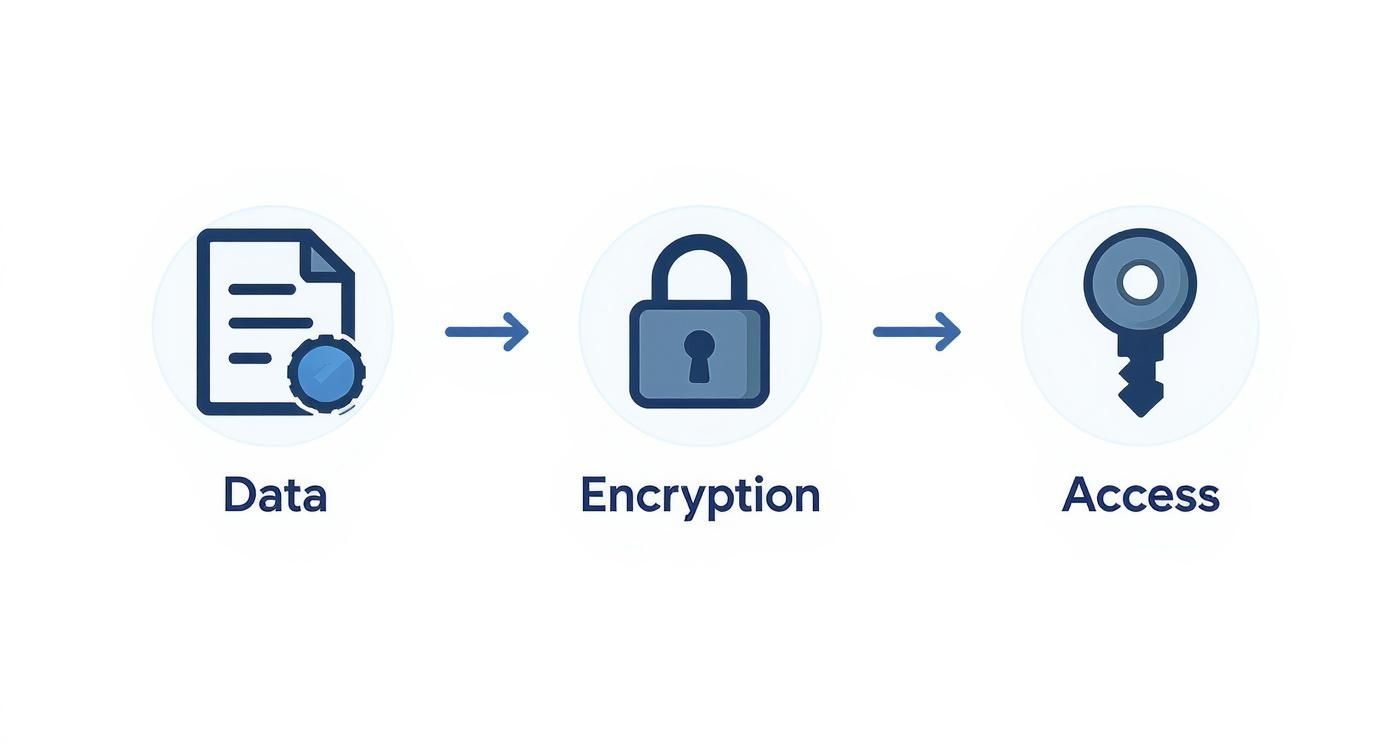
As you can see, a reliable automation system has security built-in, ensuring sensitive information is encrypted and only the right people have access.
Secure Buy-In with Smart Change Management
A new piece of technology is only as good as the people who use it. Change can be intimidating, so it's absolutely crucial to bring your team on board from the very beginning. This isn't just about showing them some new software; it's about proving how it will make their jobs easier.
Start by explaining the "why." Show them how automation will get rid of their most tedious tasks, lower their stress levels, and give them more time to focus on meaningful legal work. Frame it as a tool to help them, not replace them.
Here are a few ways to get everyone on board:
- Involve Your Experts Early: Bring your most seasoned paralegals and case managers into the process of mapping workflows. Their on-the-ground insights are priceless, and their early involvement will turn them into champions for the new system.
- Show Them a Quick Win: Start with a pilot program for a single, high-impact process. Once the team sees how automation transforms client intake from a headache into a smooth operation, they’ll be excited to see what’s next.
- Invest in Great Training: Don’t just send out a login and hope for the best. Schedule real training sessions, create simple user guides, and make sure there's always someone available to answer questions. Confidence is key.
A successful rollout is about people, not just platforms. Proactive communication and inclusive planning can turn skepticism into advocacy, ensuring the new system is embraced rather than just tolerated.
Implement a Phased Rollout Plan
With a plan in place and your team behind you, it's time to act. A phased rollout is almost always the best strategy. It lets your firm learn and adjust as you go without bringing daily operations to a halt. This approach also aligns well with the bigger picture of modernizing your firm, a topic we cover in our guide to case management for law firms.
Here’s what a phased plan might look like:
- Phase 1 (Months 1-2): Client Intake Automation. Set up automated web forms, document collection, and task assignments for new cases. A great goal here would be to cut intake processing time by 50%.
- Phase 2 (Months 3-4): Medical Record Management. Automate how you request, track, and summarize medical records and bills. The objective is to slash follow-up time and get to the analysis faster.
- Phase 3 (Months 5-6): Document Generation. Roll out templates that automatically generate demand letters, retainer agreements, and other common documents.
Throughout this entire process, you have to gather feedback and measure your results. Check in with your team regularly to find out what's working and what's not. By setting achievable goals, providing solid training, and making adjustments based on real-world feedback, you can ensure your firm's move to legal workflow automation is a genuine success.
Choosing the Right Legal Automation Tools for Your Firm
Picking the right technology isn't just about buying software; it's about finding a strategic partner. Once you have a clear plan for what you want to achieve, you can start looking at the tools that will power your firm's operations. The market for this stuff is blowing up, which tells you a lot about the massive shift happening in how legal work gets done.
The global legal automation market was recently valued at $1,036 million and is expected to climb to $1,175.8 million next year. What's driving this? A projected compound annual growth rate (CAGR) of 13.5% over the next decade, as more firms finally turn to AI and machine learning to handle the repetitive, administrative grind. You can dig into these legal automation market trends on wiseguyreports.com to see the full picture, but the takeaway is clear: firms want flexible, cloud-based systems, not clunky, old-school software.
This growth is great because it means you have more options than ever. But it also means you need a solid game plan to find the one that actually fits your firm.
The Power of a Unified Tech Stack
If you remember only one thing, make it this: integration is everything. A shiny new tool that can't talk to your other systems is worse than useless—it actually creates more work. It forces your team back into the soul-crushing cycle of manual data entry, creating little islands of information that lead to errors and kill any hope of efficiency.
Real legal workflow automation happens when a tool acts as the central hub, seamlessly connecting to the software you already use every day. Picture this: a new client fills out an intake form, and that information instantly creates a new file in your case management software, generates a retainer agreement in your document folder, and schedules their welcome call on your calendar. All without a single click. That’s the magic of a truly integrated system. We offer some pointers on building that foundation in our guide to the best case management software for law firms.
Niche Tools vs. All-in-One Platforms
As you start your search, you'll generally find two flavors of solutions. Knowing the difference will help you match a tool to your firm’s real needs and where you want to be in five years.
- Niche or Point Solutions: These tools are specialists—they do one thing, and they do it incredibly well. Think of standalone e-signature software like DocuSign, a dedicated document generation tool, or an automated medical record retrieval service. They’re fantastic for plugging a single, specific hole in your process.
- All-in-One Platforms: These are the command centers, built to manage multiple workflows across your entire firm. A platform like Ares brings together data analysis, document drafting, and case summarization into one unified environment. It’s a single, cohesive solution for your biggest operational headaches.
For most personal injury firms trying to grow, an all-in-one platform is the more strategic play. It creates consistency and gets rid of the friction that comes from juggling a bunch of disconnected apps.
The goal is to build a cohesive technology ecosystem, not a patchwork of disconnected apps. A platform that unifies key functions ensures data integrity and provides a single source of truth for every case.
Your Practical Buyer's Checklist
To make a smart decision, you have to ask the right questions—ones that go beyond a simple features list. This checklist will help you figure out if a vendor is just selling software or if they’re ready to be a true partner.
How does your platform integrate with my existing software?
- Don't accept a vague "yes." Ask for specific examples of integrations with your case management and document storage systems. A fuzzy answer here is a huge red flag.
Is the system designed specifically for personal injury law?
- A generic tool won't get the nuances of managing medical records, calculating damages, or drafting a compelling demand letter. You need features built by people who understand PI workflows.
What does your onboarding and customer support look like?
- A great tool with lousy support is a fast track to frustration. Find out if they offer dedicated onboarding specialists, live training, and responsive, ongoing tech support.
How does your platform ensure data security and HIPAA compliance?
- They need to be able to clearly explain their encryption protocols, access controls, and be ready to provide a Business Associate Agreement (BAA) to certify compliance.
Can the platform scale as my firm grows?
- Think about the future. Ask about pricing tiers, user limits, and whether the system can handle a much larger volume of cases and data without slowing to a crawl.
Choosing your automation tool is a foundational decision for your firm. If you prioritize integration, really understand your needs, and aren't afraid to ask tough questions, you can find a solution that doesn't just fix today's problems but sets you up for long-term success.
Seeing It in Action: Real-World Examples of Legal Automation

The theory behind workflow automation is great, but seeing it solve the everyday headaches of a personal injury firm is where it really clicks. Let's walk through a few common scenarios, contrasting the familiar manual way with the automated approach.
These before-and-after snapshots show how the right automation turns administrative drags into strategic advantages. It’s not just about doing things faster; it’s about building a smarter, more reliable practice from the ground up.
Overhauling the Client Intake Process
Before Automation: A potential client calls. Your intake specialist dutifully keys their information into a form. That form gets emailed to a paralegal, who then re-keys the exact same data into the case management system. It's a clunky handoff, ripe for delays and typos that can corrupt a case file from the very beginning.
After Automation: The client fills out a secure form on your website. The second they click "submit," your system gets to work:
- It instantly creates a new client record in your practice management software.
- A retainer agreement is automatically generated and sent out for e-signature.
- An initial follow-up task is assigned to the right team member.
What used to take hours—or even days—now happens in minutes. The entire process is seamless and professional. Your team is freed up to actually connect with the client, not just transcribe their information.
Automating the Grind of Medical Record Requests
Before Automation: A paralegal’s week is eaten up by drafting request letters, faxing them to dozens of providers, and setting endless calendar reminders to follow up. So much time is wasted on the phone asking, "Did you get our request?" This manual, repetitive tracking is a massive bottleneck that stalls case progress.
After Automation: With a single click, the system fires off HIPAA-compliant requests to every provider in the case file. But here's the best part: it also starts an automated follow-up sequence. The system will send reminders at 7, 14, and 30 days—or whatever interval you choose—until the records arrive, logging every single touchpoint.
This simple change flips the script. Instead of reactively chasing down every provider, your team can manage by exception, only stepping in when a provider is truly unresponsive. It transforms a frustrating time-sink into a reliable, "set-it-and-forget-it" process.
Assembling Powerful Demand Letters in Minutes, Not Days
Before Automation: Drafting a demand letter is a Herculean effort. Someone—a skilled paralegal or an attorney—has to sift through hundreds, sometimes thousands, of pages of medical records. They manually pull out dates, diagnoses, and billing codes, painstakingly piecing together a timeline. This can easily take 10+ hours per case and is dangerously prone to human error.
After Automation: This is where AI-driven platforms like Ares are completely changing the game. You simply upload the medical records, and the technology handles the grunt work:
- It reads and understands every page, extracting the critical data points.
- It organizes everything into a perfectly structured medical chronology.
- It generates a comprehensive draft of the demand letter, complete with a detailed narrative and pinpoint-accurate figures.
Your team gets a polished, detailed draft in a fraction of the time. This lets them focus their expertise on refining the legal arguments and strategy, not on manual data entry. This is a perfect example of Robotic Process Automation (RPA) in legal tech.
The market for RPA in legal services, currently valued at around USD 2.69 billion, is expected to soar to USD 13.09 billion over the next decade. That growth is being fueled by firms that are adopting these exact kinds of efficiencies. You can learn more about the growth of RPA in legal services from Precedence Research. These real-world applications aren't science fiction; they prove that legal workflow automation is the key to unlocking a new tier of productivity and client service.
Frequently Asked Questions
When firms start exploring legal workflow automation, a few key questions always come up. It's only natural to wonder about the cost, how it will affect your team, and what it really takes to get started. Let's tackle those common concerns head-on.
Is This Really Affordable for a Small Firm?
Absolutely. There's a persistent myth that automation is a luxury reserved for massive, deep-pocketed firms. That might have been true years ago, but modern tools have completely changed the game.
Most platforms today are cloud-based and use a subscription model—think of it like your Netflix or Spotify subscription, but for your law practice. This means you don't have to shell out a huge amount of cash upfront for servers or complex software licenses. Instead, it's a predictable monthly cost that makes powerful technology accessible to everyone. The ROI kicks in fast when you cut down on administrative waste and free up your team to handle more cases, making it one of the smartest investments a growing firm can make.
The real question isn't whether you can afford automation, but whether you can afford to keep losing billable hours to manual work. A good system pays for itself, often in just a few months.
Will This Replace Our Paralegals and Staff?
Not at all. The goal is to empower your team, not replace them. Automation is about eliminating the tedious, repetitive tasks that drain your staff's time and energy—the kind of work that no one enjoys anyway.
Think of it as giving your best people a super-powered assistant. When the system handles things like chasing down medical records, organizing files, and sending routine follow-ups, your paralegals and legal assistants are free to focus on what they do best. They can dedicate their expertise to high-value work like client communication, case strategy, and preparing for negotiations. In short, automation lets your human talent shine.
How Hard Is It to Actually Get This Set Up?
The best platforms are built to be intuitive and user-friendly. You don't need a background in IT or a dedicated tech team to get things rolling. The secret to a successful launch is starting small and building from there.
Don't try to automate everything overnight. Pick one or two of your biggest bottlenecks—maybe it's client intake or the medical record retrieval process—and start there. A good technology partner will guide you through a structured onboarding process and provide hands-on support, ensuring your team feels comfortable and confident. This phased approach lets you see real, tangible results in weeks, not months, which builds momentum and makes the transition feel like a natural evolution.
Ready to see how AI can eliminate hours of manual work from every case? Ares transforms your medical records into case-winning insights and demand letters in minutes. Discover how much time you can save with Ares.