

For many personal injury attorneys, the day-to-day reality is a constant battle against paperwork. It’s a relentless flood of medical records, scattered case files, and the ever-present pressure of deadlines. This administrative burden can easily turn passionate client advocacy into a frustrating organizational nightmare. Legal workflow management software is the strategic answer to this chaos.
Escaping the Paperwork Avalanche in Personal Injury Law

Trying to manage a personal injury caseload without the right software is like being an air traffic controller in a storm with nothing but paper maps. You're constantly juggling dozens of moving parts—client updates, discovery deadlines, settlement talks—and the risk of a critical mistake is incredibly high. Important details get lost in the shuffle, deadlines slip by, and billable hours are wasted on tasks that don’t actually push cases forward.
This manual, reactive approach isn't just inefficient. It's a direct threat to your firm's bottom line and, more importantly, your clients' outcomes. Every minute spent digging through a folder for a document or manually updating a case timeline is a minute you're not spending on legal strategy or client communication.
The Shift from Chaos to Control
Now, picture that same air traffic controller but with a state-of-the-art radar system. This system doesn't just show where the planes are; it predicts their flight paths, flags potential conflicts, and handles routine communications automatically. It provides a clear, real-time command center for the entire airspace. This is exactly what legal workflow management software does for a PI firm.
It serves as a digital co-pilot, specifically designed to:
- Automate the tedious, repetitive tasks that eat up your day.
- Centralize all critical case information for instant, easy access.
- Free up your legal team to concentrate on high-value, strategic work.
Making this shift from manual chaos to automated control isn't just a minor tweak; it's a fundamental change in how your firm operates. The industry's rapid adoption of this technology tells the story. In 2024, the closely related global legal document management software market hit a valuation of USD 2.49 billion. Projections show it soaring to USD 9.67 billion by 2034, signaling a massive industry-wide push to digitize and automate.
More Than Just Another Piece of Software
It's vital to see this as more than just another tech tool. It's a strategic asset that turns disorganized data into actionable intelligence. By creating predictable, repeatable processes for everything—from the initial client intake to drafting the final demand letter—it brings a new level of consistency and quality control to your entire practice.
This systematic approach ensures that every single case gets the same high standard of care. It minimizes the risk of human error and maximizes the potential for a successful outcome, helping you build a more resilient, efficient, and profitable practice from the ground up.
To truly escape the "paperwork avalanche," personal injury law firms should look into leveraging advanced document automation software platforms that can drastically cut down on manual document creation and management. These systems are key to winning the war against administrative overload.
Understanding Your Firm's New Digital Nervous System

So, what exactly is legal workflow management software? Let’s cut through the jargon. Think of it as the digital nervous system for your entire personal injury practice. It’s the smart framework that connects every person, task, and document, making sure they all work together in perfect sync.
Imagine your firm is a symphony orchestra. You have talented musicians (your attorneys and paralegals), complex scores (case files), and a calendar full of performances (court dates and deadlines). Without a conductor, you’d have chaos. Instruments would be out of tune, timing would be off, and the final piece would be a disaster.
Legal workflow management software is that conductor. It doesn't just hold the sheet music; it directs the performance. It cues the right person at the right time, ensures every transition is seamless, and pulls all the individual parts together to create a powerful, cohesive result for your client.
Moving Beyond Simple Storage
Many firms already have case management software, which is a great starting point. These systems are like a digital filing cabinet, a central place to store documents, contacts, and important dates. They are fantastic at holding the "what" of a case—the client's name, the accident report, the insurance policy details.
But legal workflow management software is fundamentally different. It’s all about the "how"—the actual sequence of steps required to push a case from intake to settlement.
It’s the difference between a library that stores books and an assembly line that builds a car. One is for passive storage; the other is an active, dynamic system built for production. This leap from static data storage to dynamic process execution is what truly sets this technology apart.
This active approach is what makes it so powerful for PI law, where you're constantly juggling a series of complex, interconnected tasks. A standard case management tool might tell you a deadline is coming up. A workflow system, on the other hand, can automatically assign the prep work to a paralegal, schedule a review for an attorney, and even draft a reminder email to the client—all without anyone lifting a finger.
The Evolution into an Intelligent Partner
The newest generation of this software goes even further by weaving in artificial intelligence. We're not talking about simple automation anymore. This is about adding a layer of intelligence that can handle complex, thinking-based tasks that used to be exclusively for your legal team.
These AI-powered platforms are the next step in the evolution, designed to turn messy, unstructured data into a strategic advantage. Take the process of reviewing thousands of pages of medical records. This is a classic bottleneck in PI firms, eating up countless hours of non-billable time.
Here’s how an AI-driven system completely changes the game:
- Intelligent Data Extraction: Instead of a paralegal manually reading and highlighting records, the AI scans and pulls out every crucial detail—diagnoses, treatments, providers, and dates of service.
- Automated Summarization: It then organizes this information into a structured medical chronology. This gives you a clear, high-level summary that lets you understand the case narrative in minutes, not days.
- Draft Generation: Using this structured data, the system can automatically generate a first draft of a demand letter, complete with a detailed account of injuries and treatments. Your team no longer has to start from a blank page.
Ultimately, this technology changes how your firm operates. It stops being a system you simply use and becomes a partner that actively works alongside your team. By handling the "how," it frees up your most valuable asset—your legal expertise—to focus on what really matters: building the strongest case possible and winning for your clients.
The Core Features of Modern PI Case Management Software
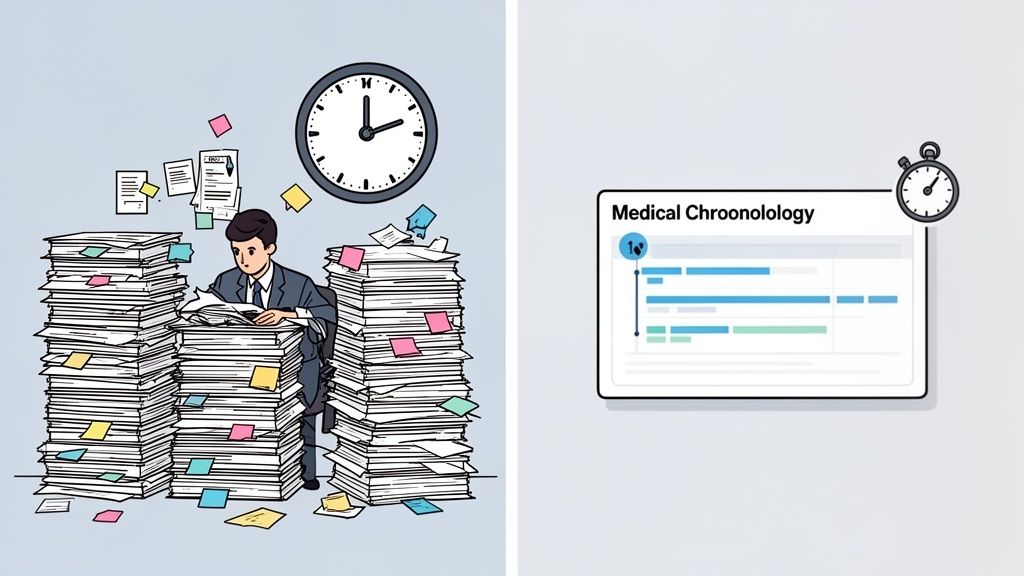
To really get what this software does for a personal injury firm, you have to look past the buzzwords and focus on the specific tools that solve real, everyday problems. These aren't just flashy add-ons; they are carefully designed features meant to smash through bottlenecks, slash human error, and give your team back its most precious commodity: time.
Each feature is built to address a specific headache in the PI case lifecycle. The goal is to take a messy, manual process and turn it into a smooth, predictable, and often automatic workflow. Let’s break down the components that really change the game.
Automated Client Intake Workflows
That first conversation with a potential client is everything. It sets the stage for the entire relationship. A clunky, paper-based intake process not only makes a poor first impression but immediately saddles your team with tedious administrative tasks.
Automated intake systems flip this script. Instead of juggling PDFs and emails, the software gives clients a secure online portal to complete their intake forms. This information then flows directly into your system, instantly creating a new case file, filling in contact details, and even kicking off the next tasks, like scheduling the initial consultation.
- The Old Way: A paralegal spends an hour on the phone taking down basic info, manually typing it into a case file, then printing, scanning, and filing signed paper forms.
- The New Way: The client fills out a digital form in 15 minutes on their own time. The case file is created automatically, all data is organized, and the next steps are already assigned to the right people.
AI-Powered Document Analysis
Let's be honest: for most PI firms, the biggest time-drain is reviewing medical records. A serious injury case can easily come with thousands of pages from a half-dozen providers. A paralegal could spend 20-30 hours just reading, highlighting, and piecing together a medical chronology.
This is where AI becomes your firm’s secret weapon. Modern platforms like Ares use artificial intelligence to scan and analyze huge volumes of medical records in a matter of minutes. The AI is trained to spot and pull out the critical data points, turning a mountain of disorganized text into a clean, actionable summary.
AI-driven analysis doesn’t just do the work faster; it does it with a level of precision that is difficult to achieve manually. It systematically flags every diagnosis, treatment, provider, and date of service, ensuring no critical detail is missed when building the case narrative.
To see just how different the two approaches are, consider the time and effort involved in common tasks.
Manual Processes vs Automated PI Workflows
| Task | Manual Method (The Old Way) | Automated Workflow (The New Way) |
|---|---|---|
| Medical Record Review | 20-30 hours per case for a paralegal to read and summarize. | AI analyzes records, extracts key data, and generates a draft chronology in minutes. |
| Client Intake | Phone calls, emails, and manual data entry. Prone to errors. | Client completes an online form, and the case file is created automatically. |
| Deadline Tracking | Relies on manual calendar entries and sticky notes. High risk of missed dates. | System automatically generates tasks and sets cascading reminders for statutes of limitations. |
| Client Updates | Constant phone calls and emails to answer, "What's happening with my case?" | Clients log into a secure portal for 24/7 status updates and document access. |
The difference isn't just about saving time; it's about shifting your team's focus from low-value administrative work to high-value legal strategy.
Intelligent Task and Deadline Automation
In the legal field, a missed deadline can be devastating. Legal workflow management software provides a powerful safety net by automating how tasks are assigned and deadlines are tracked.
When you open a new case, the system can automatically populate a full checklist of tasks based on the case type. It assigns each item to the right team member and sets a clear due date. For instance, once you enter the statute of limitations, the system can schedule a series of escalating reminders for the legal team, making sure everyone is aware of the deadline long before it becomes a problem. This proactive system replaces the stress of manual calendar-watching with reliable, automated oversight.
Secure Client Communication Portals
Playing endless phone tag and digging through email threads to give clients updates is both inefficient and a security risk. A dedicated, secure client portal solves both issues at once.
Clients can log into a firm-branded portal anytime to see the status of their case, review important documents, and send secure messages directly to your team. This gives them the transparency they crave and creates a single, auditable record of all communications, cutting down on "he said, she said" confusion. Ultimately, it empowers clients while freeing up your staff from constantly fielding routine status calls. These portals are a central feature in effective personal injury case management software, bridging the gap between firm productivity and client satisfaction.
Seamless Software Integrations
Your firm doesn’t use just one tool; you rely on a whole suite of them—email, calendars, cloud storage, accounting software. A workflow platform that can't talk to these other systems just creates more work. That's why smart integrations are so important.
The best systems connect directly with the tools you already use every day, like Microsoft Outlook, Google Calendar, and Dropbox. This ensures information flows freely between applications. An appointment scheduled in the workflow software pops up on your Outlook calendar automatically. A document you save to Dropbox is instantly linked within the right case file. This interconnected approach gets rid of duplicate data entry and makes sure everyone is working from the same, up-to-date information.
Calculating the Real ROI of Workflow Automation
It’s easy to look at legal workflow management software and see only an expense. That's a mistake. The smart way to view this technology is as a powerful revenue-generating asset for your firm. The true return on investment (ROI) isn't just about saving a bit of time here and there; it’s about fundamentally changing your firm's financial health by turning wasted hours into real growth.
Think about it like this: every repetitive, manual task your team tackles is a small tax on their productivity. Chasing down signatures, manually updating case files, sorting through medical records—these are all non-billable activities that suck up valuable resources. Automation gets rid of these taxes, freeing up your team's time to be reinvested in work that actually grows the business.
This isn't just a minor trend. The legal industry is aggressively pouring money into technology to capture these gains. In fact, spending on legal tech and knowledge management tools is expected to climb by 9.7% and 10.5%, respectively, in 2025 alone. This rush is all about firms integrating AI into their daily work, letting technology handle the grunt work so their human experts can focus on high-level strategy. You can learn more about how AI is transforming the legal market on LawNext.
From Reclaimed Hours to Increased Caseload Capacity
Let's ground this in a real-world scenario for a personal injury firm. A single, moderately complex PI case can easily demand over 20 hours of manual work just to review medical records and build a proper chronology. An AI-powered platform like Ares can slash this time dramatically, often analyzing and summarizing everything in just a few minutes.
Now, imagine your firm handles 50 of these cases a year. You're not just saving a handful of hours. You are reclaiming approximately 1,000 hours of expensive paralegal or associate time.
This isn't just about being more efficient; it's a capacity multiplier. Those reclaimed hours give you the bandwidth to take on a significantly higher caseload—maybe an additional 10-15 cases per year—without having to hire more staff. The revenue from those extra cases flows almost directly to your bottom line.
Accelerating Case Cycles to Improve Cash Flow
Beyond taking on more work, automation directly boosts your firm's cash flow by shortening the entire case lifecycle. Manual processes create bottlenecks everywhere, from initial client intake all the way to drafting the demand letter. Every single delay pushes the potential settlement date further out, tying up your firm's capital.
- Faster Intake: Automated forms and file creation mean cases get moving the very same day a client signs on.
- Rapid Record Analysis: AI-driven summaries let you grasp the case story and draft a demand letter weeks, or even months, sooner.
- Streamlined Communication: Secure client portals cut down on the frustrating back-and-forth, keeping the case moving forward without friction.
By compressing the timeline from intake to settlement, you get your contingency fees faster. This healthier cash flow reduces your need for credit lines and gives you the financial agility to reinvest in marketing, new tech, or other growth drivers. The broader business impact of these efficiencies is worth exploring; you can research various process automation services to understand their benefits across different industries.
Using Data for Stronger Negotiations and Larger Settlements
The ROI of workflow software even extends into the negotiation room. An AI-analyzed medical chronology isn't just a neat summary; it’s a powerful strategic weapon. By systematically organizing every diagnosis, treatment, and provider, it gives your attorneys a comprehensive, data-backed command of the facts.
This clarity empowers your team to build a much stronger, more compelling case narrative. They can instantly spot gaps in treatment, identify pre-existing conditions that need to be addressed, and pinpoint the most impactful evidence to justify your damages claim. For a closer look at how this works, check out our guide on law firm automation software.
When you walk into negotiations, you’re not armed with a messy pile of records. You have a clear, data-driven story. This strengthens your position, allows you to shut down lowball offers with hard evidence, and ultimately leads to larger, more favorable settlements for your clients—which means higher contingency fees for your firm. This is the final piece of the ROI puzzle, transforming an operational tool into a core driver of case value.
Choosing and Implementing the Right Software Solution
Deciding to bring in a new system is a big move. Selecting and implementing the right legal workflow management software demands a thoughtful approach, one that goes way beyond a simple feature list to really dig into your firm's day-to-day operational needs.
The goal isn't just to find a platform; it's to find one that feels like it was built specifically for the unique grind of personal injury law.
The key is to zero in on what will solve your biggest headaches. Is your team drowning in medical records for weeks on end? Then you should prioritize AI-powered analysis. Is client communication a constant source of friction? A secure portal becomes a must-have, not a nice-to-have.
Your Evaluation Checklist for PI Software
Before you even think about booking a demo, you need to know exactly what you're looking for. A solid checklist helps you make a true apples-to-apples comparison and ensures you pick a partner, not just another vendor.
Here are the five core areas to focus on:
PI-Specific Features: The software has to be built from the ground up for personal injury. You need built-in workflows for things like creating medical chronologies, drafting demand letters, and tracking statutes of limitations. Generic project management tools just can't keep up.
AI Capabilities: How good is the platform at making sense of unstructured data—especially medical records? Can it pull out diagnoses, providers, treatments, and dates of service accurately? A powerful AI engine can turn a mountain of records into a usable summary in minutes.
Security and HIPAA Compliance: You're handling Protected Health Information (PHI), so top-notch security is non-negotiable. Make sure the vendor is HIPAA compliant and uses serious safeguards like data encryption and tight access controls to keep client information locked down.
User-Friendliness: The most powerful features in the world are useless if your team hates using the software. The interface needs to be intuitive, making everyday tasks easy to perform with minimal training. A clean, logical design is essential for getting everyone to actually use it.
Vendor Support and Onboarding: A smooth transition lives and dies by the vendor's support. Ask them about their onboarding process, how they handle data migration, and what their ongoing customer service looks like. A great partner will be there to guide you through every step.
A Phased Approach to Implementation
Once you’ve made your choice, the last thing you want to do is overwhelm your team. A phased rollout builds momentum and proves the software’s value quickly, which is critical for getting buy-in from everyone.
Start small. Pick two or three active cases to run as a pilot. Use these files to test out the new workflows, from uploading medical records all the way to generating a draft of a demand letter. This gives your team a safe space to learn the system's core functions without the pressure of a firm-wide switch.
This process flow shows how the right software directly feeds into the metrics that matter most, delivering a strong return on investment.
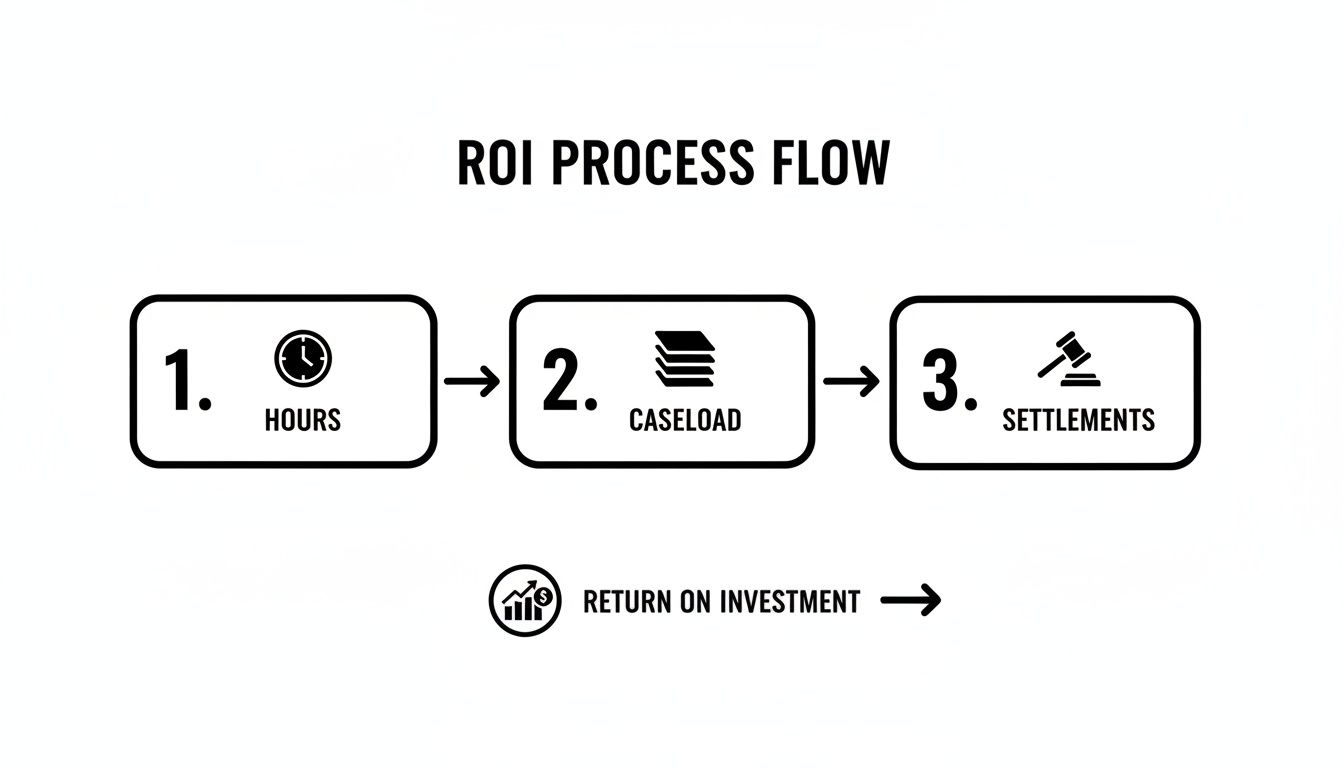
The path is clear: automating tasks frees up hours, which allows you to take on a larger caseload, ultimately leading to better and faster settlements. For a closer look at the available options, you can explore our guide on the best case management software for law firms.
When your team sees the immediate payoff—like getting back hours they used to spend on manual review—their confidence will soar. From there, you can start rolling the software out to the rest of the firm. Remember, training sessions built around real-world case scenarios are far more effective than dry feature walkthroughs. This strategic approach ensures the new system becomes a true asset, woven into the fabric of your firm's success.
Building a More Profitable and Efficient PI Practice
The road to a successful personal injury practice used to be paved with mountains of paper files and endless manual checklists. That era is over. Today, the most competitive firms are built on a bedrock of operational excellence, using smart technology to help their legal teams do their best work.
For a modern PI firm, legal workflow management software isn't just a nice-to-have upgrade; it's a fundamental necessity.
This is about more than just getting new tools. It's a complete shift in how your firm operates, boosting its ability to get fantastic results for clients while creating a more profitable, sustainable business. When you automate the tedious administrative work that creates bottlenecks and burns out your staff, you give your team back hundreds of hours.
Moving Beyond Manual Limitations
Think about what that reclaimed time really means. It’s a direct investment into the high-value work that actually wins cases.
Instead of spending hours manually sorting medical records, your paralegals can focus on crafting compelling case narratives. Rather than chasing down signatures and filing paperwork, they can dedicate their energy to client communication and strategic planning. These are the activities that drive up case value and leave clients feeling cared for.
The real change is moving from a reactive practice, constantly putting out fires, to a proactive one that controls the flow of work. This is how firms not only compete in a crowded market but truly lead it.
A More Profitable and Strategic Future
Choosing to adopt this kind of technology is a direct investment in your firm's future. It’s a commitment to breaking free from the risks and inefficiencies that are baked into manual processes.
By embracing automation, you empower your team to build stronger, data-backed cases, secure better outcomes for your clients, and ultimately run a more efficient and resilient practice.
Don’t let outdated systems dictate your firm's potential. The tools exist to build a stronger foundation for growth and client success. The only question is, are you ready to build it?
Frequently Asked Questions
It's natural to have questions when you're thinking about bringing a new piece of technology into your firm. Making a smart decision for your team, your clients, and your profitability means getting clear answers. Here are some of the most common questions we hear from personal injury attorneys.
How Secure Is Client Data and PHI in These Platforms?
This is often the first question, and for good reason. Any top-tier legal workflow management software, especially one built for PI law, must be built on a foundation of enterprise-grade security. The keyword you're looking for is HIPAA compliant. This isn't just a marketing term; it means the platform has specific technical, physical, and administrative safeguards in place to protect sensitive Protected Health Information (PHI).
So, what does that actually look like?
- End-to-end data encryption: This ensures your data is scrambled and unreadable whether it's being sent over the internet or just sitting on a server.
- Strict access controls: You can set permissions so that only the right people can see sensitive case files or client information.
- Regular security audits: The provider should be constantly testing their own systems to find and fix potential weak spots before they become a problem.
Bottom line: Always ask a vendor for the specifics on their security architecture and compliance certifications before you sign anything.
Will This Software Replace Our Paralegals?
Absolutely not. In fact, it does the exact opposite. The goal is to make your paralegals and case managers even more valuable, not redundant.
This kind of software automates the tedious, repetitive work that bogs them down—think sifting through thousands of pages of medical records or manually triple-checking statutes of limitations. By taking that off their plate, it frees them up to focus on the high-value work that truly requires their expertise, like communicating with clients, digging into case strategy, and helping you prepare for depositions.
Think of it as giving your best players a better toolkit. The software handles the grunt work, allowing your skilled team members to spend more time on the strategic plays that win cases and deliver better client outcomes.
Is This Software Only Affordable for Large Law Firms?
That's a common misconception. While big firms certainly see a massive benefit, this technology can be a game-changer for small and solo practices. If anything, smaller firms feel the pinch of limited resources more than anyone, so the efficiency boost from workflow software delivers an even bigger punch.
Most modern platforms are cloud-based (SaaS), which means they offer scalable and flexible pricing. This levels the playing field, allowing firms of all sizes to access powerful tools that help them manage a larger caseload and compete effectively—all without a huge upfront investment.
How Long Does It Take to Implement This Software?
The timeline can vary depending on the size of your firm and how much data you need to move over, but modern platforms are built for a surprisingly smooth transition. A good vendor won't just hand you the keys and walk away; they'll provide a structured onboarding process that includes help with data migration, team training, and a dedicated person to call when you have questions.
We often recommend a phased rollout, maybe starting with a few new cases. This lets your team get comfortable with the system and see the benefits firsthand, which builds momentum for a full, firm-wide adoption in just a few weeks, not months.
Ready to see how AI-powered workflow automation can transform your personal injury practice? Ares is built to save you time, strengthen your cases, and help you settle faster. Discover how you can reclaim hours and boost your firm's capacity today.