

If you've ever felt like you're trying to land a 747 on a single-lane runway, you know what it’s like to run a personal injury firm without the right systems. The sheer volume of client information, medical records, deadlines, and communications can quickly become overwhelming. This is where a case management system comes in—it’s the air traffic control tower for your entire practice.
A case management system is a specialized software platform designed to bring every moving part of a case—from the initial client call to the final settlement check—into one organized, accessible place. It's a central hub that replaces the old, chaotic mix of spreadsheets, sticky notes, and overflowing file cabinets with a single source of truth for your entire team.
What a Modern Case Management System Really Is
Think of it this way: without a system, your firm is a collection of individual musicians, each playing from their own sheet music. It might sound okay, but it’s far from a symphony. A case management system is the conductor that gets everyone on the same page, playing in perfect harmony.

This isn't just about storing files digitally. It's a dynamic framework that weaves together deadlines, client communications, medical records, and legal documents into a cohesive, automated workflow. The goal is simple but profound: ensure nothing ever falls through the cracks.
From Disorganized Files to Command Central
The idea of managing complex cases isn't new. Its roots actually go back to public health programs in the early 1900s that aimed to coordinate patient care. By the 1970s, the insurance industry had adopted these principles to handle complex claims, which dramatically cut costs and led to faster resolutions.
For law firms, this concept went digital in the 1980s and 90s, moving practices from paper-based chaos to organized, computer-based software. If you're curious, you can explore the history of case management to understand its deep foundations in creating efficiency. This history matters because it shows the core purpose has always been to bring predictable, repeatable processes to incredibly complex work.
A case management system is the operational backbone of a modern personal injury firm. It provides the structure, automation, and centralized data necessary to not only manage a high caseload but to maximize the value of every single case.
It's an Operational Shift, Not Just a Software Tool
Dismissing a CMS as just another piece of software is like calling a smartphone "just a phone." It fundamentally re-engineers how your firm functions day-to-day. By creating that single source of truth, it puts everyone on your team—from the newest paralegal to the senior partners—on the same page with real-time, accurate information.
The table below illustrates just how dramatic this shift can be, contrasting the old way of doing things with the modern, system-driven approach.
Operational Shift Before and After a Case Management System
| Operational Area | Before CMS (Manual/Siloed Approach) | After CMS (Integrated/Automated Approach) |
|---|---|---|
| Intake Process | Paper forms, manual data entry into spreadsheets, high risk of errors and lost leads. | Automated intake forms that sync directly to the client file, instant conflict checks. |
| Document Management | Physical files, scattered network drives, time-consuming searches for documents. | Centralized cloud storage, keyword-searchable documents, version control, easy sharing. |
| Deadline Tracking | Manual calendar entries, whiteboards, reliance on individual memory. High risk of missed statutes. | Automated deadline calculations based on case-specific rules, firm-wide calendar visibility, and alerts. |
| Team Collaboration | Internal emails, hallway conversations, sticky notes. Hard to track who did what. | Secure internal messaging, task assignments, and case notes logged in a central file. |
| Client Communication | Disjointed emails and phone logs. Difficult to get a quick update on the last contact. | A complete, chronological log of every client interaction is attached to the case file. |
| Reporting & Insights | Manual data crunching, guesswork on case volume, and no real-time performance metrics. | Instant, customizable reports on case status, staff productivity, and firm financials. |
This operational upgrade isn't just about convenience; it’s about building a more resilient, profitable, and client-focused practice.
This change delivers powerful, tangible benefits that you'll feel across your entire firm:
- Preventing Critical Errors: Automated deadline tracking and reminders are your best defense against a missed statute of limitations or a blown filing date. It’s an always-on safety net.
- Boosting Team Productivity: Think about all the time your team wastes just looking for information. When everything is organized and instantly accessible, they can focus on high-value work like case strategy and client care.
- Enhancing Client Service: When a client calls for an update, anyone on the team can pull up their file and give a fast, accurate answer. That kind of service builds trust and referrals.
- Creating Scalable Growth: A well-implemented system gives you a repeatable, efficient blueprint for handling cases. It allows your firm to take on more clients without having to proportionally increase your administrative headcount.
What a PI Case Management System Actually Does
Think of a modern case management system less like a digital filing cabinet and more like the central nervous system of your personal injury firm. It’s the engine room, packed with specialized tools built specifically for the unique, often chaotic, lifecycle of a PI case. Each feature is a critical component, working in concert to bring order to the chaos and create a clear path to settlement.
These aren't just fancy add-ons; they are fundamental for any firm serious about boosting its capacity and fighting for maximum case value. Let's break down the core components that can elevate a practice from a frantic scramble of manual tasks into a smooth, strategic operation.
A First Impression That Counts: Automated Client Intake
The client intake process is your firm's handshake. A clunky, paper-drenched approach creates immediate friction and can easily send a great client straight to a competitor who looks more put-together. A case management system digitizes and automates this make-or-break first step.
Forget mailing forms or having clients juggle a clipboard in your lobby. You can send them a link to a custom digital intake form they can fill out on their own time, from their phone or computer. The information they enter—contact details, accident specifics, initial injury reports—flows directly into a new client file in your system. This single action wipes out redundant data entry and drastically reduces the chance of human error.
This shift accomplishes a few key things right away:
- Speed: It massively shrinks the time between that first phone call and getting a signed retainer.
- Accuracy: It eliminates the risk of typos or lost details that plague manual transcription.
- Consistency: It ensures every case file begins with the same solid foundation of data, establishing a reliable standard across the entire firm.
From Paper Mountains to Searchable Intelligence: Document & Medical Record Management
Personal injury cases are built on a mountain of paper—police reports, witness statements, and sprawling, complex medical records. A proper case management system gives you a secure, central vault for every last file. But this isn't just about storage; it's about creating an intelligent, searchable library.
Many modern systems come equipped with optical character recognition (OCR), a technology that makes every word in a scanned document completely searchable. That means a paralegal can find every single mention of a specific doctor, injury, or treatment across thousands of pages in a matter of seconds. For a deeper look at platforms built to handle these kinds of complex workflows, you can explore various types of law firm project management software.
The ability to instantly access, search, and analyze documents is a genuine game-changer. It turns the painstaking chore of reviewing a client's medical history from a multi-day ordeal into a focused, strategic analysis.
The Ultimate Safety Net: Calendaring and Deadline Management
In the legal world, a missed deadline isn't just an "oops"—it can be grounds for a malpractice claim. A case management system acts as a firm-wide safety net, taking the human-error element out of tracking critical dates.
Based on the case type and jurisdiction, the system can automatically calculate and populate your calendar with essential deadlines, like the statute of limitations, discovery cutoffs, and court appearances. It then pushes automated reminders to the entire legal team, making sure everyone is on the same page about what’s coming up. This proactive approach transforms deadline management from a reactive, high-stress scramble into a controlled, automated process.
Telling the Whole Story: Comprehensive Communication Logs
A single PI case can involve hundreds of interactions: calls with clients, emails with opposing counsel, and back-and-forth messages with insurance adjusters. A case management system logs every one of these communications and attaches them directly to the client's file.
This creates a complete, chronological history of the entire case. If a client ever calls asking for an update, or a dispute arises over what was said in a phone call, any team member can pull up a detailed log in seconds. This not only leads to better client service but also builds an airtight record of your firm's diligence. You can learn more about how the right platform supports these functions in our guide to personal injury case management software.
Putting Repetitive Tasks on Autopilot: Workflow Automation
So many tasks in a PI firm are repetitive but non-negotiable, like sending spoliation letters or firing off medical record requests. Workflow automation lets you build smart templates for these processes that can be launched with a single click.
For example, the moment a new commercial trucking accident case is opened, the system can be set to automatically:
- Generate and email a spoliation letter to the trucking company.
- Create and assign a task to a paralegal to request the official police report.
- Schedule a reminder to call the client for a check-in two weeks from today.
This kind of automation is what frees up your team to focus on the high-value work they were hired to do—crafting legal arguments, strategizing, and negotiating with adjusters—instead of getting buried in administrative busywork.
Translating Features into Firm-Wide Benefits
It's one thing to list out the features of a case management system, but it's another thing entirely to see how they come together to transform how your firm operates. These aren't just fancy add-ons; they're tools designed to deliver real, measurable results that hit your bottom line, improve client happiness, and make your practice more resilient. The goal is to move from constantly putting out fires to strategically managing every single case.
The most immediate and powerful change you'll see is a huge boost in efficiency. When you automate the tedious, repetitive tasks, you free up your sharpest minds—your attorneys and paralegals—from the slog of manual data entry, chasing down records, and juggling calendars. Imagine them spending less time organizing files and more time on high-value work like legal research, prepping for depositions, or building a killer settlement demand.
This is what that looks like in practice—a central hub that connects all the moving parts of a case.
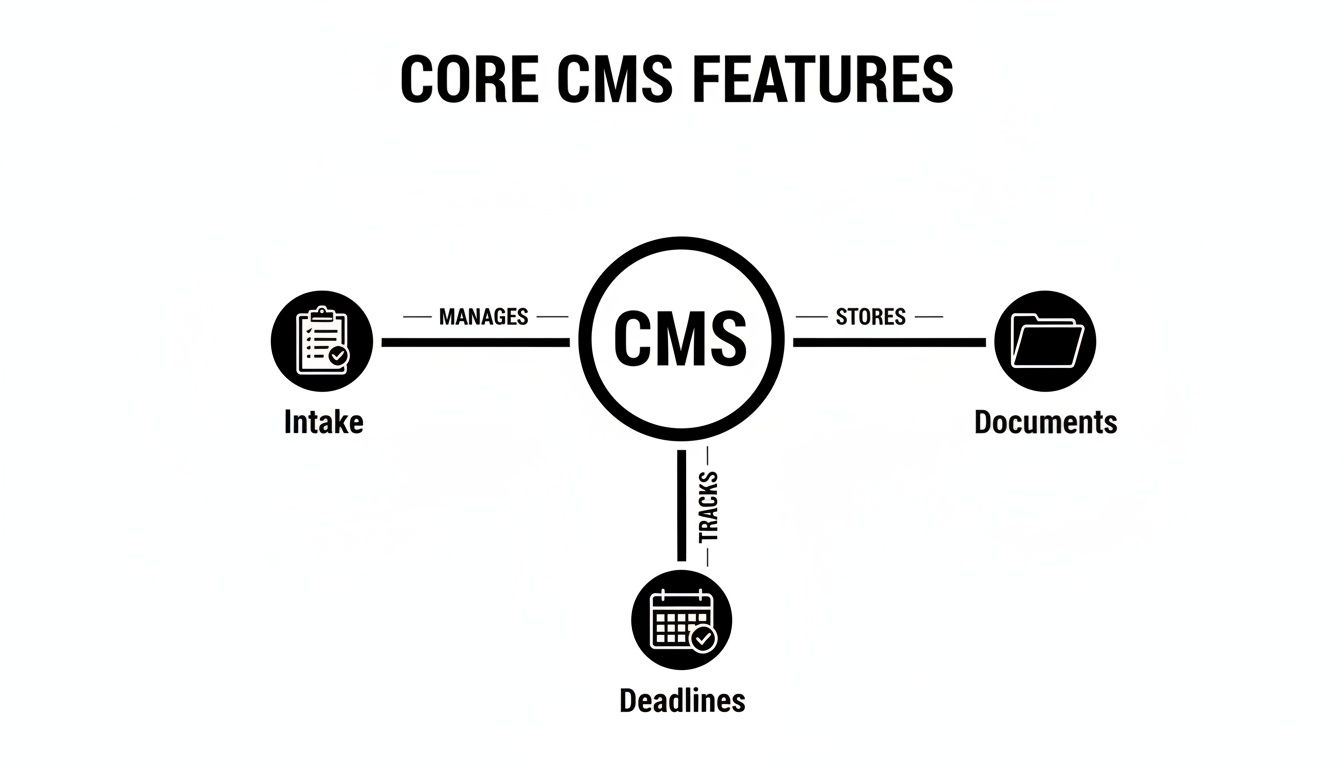
As you can see, a unified system turns a bunch of separate tasks into one smooth, integrated workflow.
Fostering Seamless Team Collaboration
A solid CMS breaks down the information silos that drive so many growing firms crazy. Think about it: when case files are scattered across different email inboxes, local hard drives, and physical folders, working together becomes a constant battle. Team members burn valuable time just trying to find the latest version of a document or figure out who last spoke to the client.
By creating a single source of truth, a case management system ensures everyone on a case is looking at the exact same, up-to-the-minute information. A paralegal can instantly see the notes an attorney jotted down after a client call just minutes earlier. This clarity gets rid of confusion and helps your team work in lockstep, whether they’re in the same room or across the country.
Delivering Superior Client Service
In today's market, the client experience can make or break your firm. A well-used CMS is your secret weapon for providing top-notch service. When a client calls with a question, they want a quick, intelligent answer—not to be put on hold for five minutes while someone digs through a messy folder.
With a CMS, anyone on your team can pull up the client’s complete case file in seconds. Every document, every email, every phone log, and every deadline is right there on one screen. This empowers your staff to give fast, confident answers that build trust and show your firm is on top of its game.
A case management system isn't just an internal tool; it's a client-facing promise of professionalism and efficiency. It demonstrates that you value their time and have their case firmly under control.
Mitigating Critical Firm Risks
This might be the most important benefit of all: a CMS is a powerful shield against risk. For a personal injury firm, missing a statute of limitations isn't just a simple mistake—it's a nightmare scenario with devastating financial and reputational fallout. The automated calendaring and deadline tracking in a CMS act as a critical safety net.
The system automatically calculates and flags key dates, dramatically cutting down the risk of human error. Plus, having all your documents in one secure, central place means a crucial piece of evidence will never get lost or misplaced. This creates a rock-solid record of your firm's diligence, protecting you from malpractice claims and, most importantly, protecting your clients' futures. It’s not just about being more organized; it’s about running a safer, more defensible practice.
Navigating Security and HIPAA Compliance

Personal injury cases are built on a foundation of incredibly sensitive client data, especially Protected Health Information (PHI). This makes data security and HIPAA compliance non-negotiable. Using generic tools like standard email or consumer-grade cloud storage for case files isn't just disorganized—it's a serious ethical and legal risk.
These platforms simply weren't built with the safeguards needed to protect client confidentiality. A single data breach can lead to devastating consequences, from steep financial penalties to a complete loss of client trust and lasting damage to your firm’s reputation. When choosing a case management system, you have to prioritize its security architecture just as much as its features.
The Pillars of Data Security
When you're looking at different platforms, you need to dig deeper than the marketing claims and really scrutinize the core security measures. Think of these as the essential support columns holding up your firm's data fortress. Any system worth its salt must offer a robust combination of protections.
Your evaluation should focus on three critical areas:
- End-to-End Data Encryption: This is the absolute baseline. Encryption scrambles your data, making it unreadable to anyone without authorization, both when it's stored on servers (at rest) and when it's being sent over the internet (in transit).
- Role-Based Access Controls: Not everyone in your firm needs access to everything in every case. Granular controls let you define who can see what, ensuring paralegals, attorneys, and administrative staff only view and edit the information relevant to their roles.
- Comprehensive Audit Trails: An audit trail is basically a digital paper trail. It records every action taken within the system—who accessed a file, what they changed, and when they did it. This log is crucial for accountability and for investigating any potential security issues.
Demystifying HIPAA Compliance
For any law firm that handles medical records, understanding HIPAA isn't optional. A platform isn't "HIPAA compliant" just because it says so; it must meet specific, stringent requirements set by federal law. The entire point of these rules is to ensure the privacy and security of an individual's health information.
A truly HIPAA-compliant case management system doesn't just store data securely—it operates within a strict legal framework that governs how that data is handled, shared, and protected from unauthorized disclosure.
This framework boils down to two key components. First, the software vendor must be willing to sign a Business Associate Agreement (BAA). This is a legally binding contract that holds the vendor to the same high standards of PHI protection that your firm must maintain. No BAA, no deal.
Second, the system's infrastructure must adhere to the HIPAA Security Rule, which dictates specific administrative, physical, and technical safeguards. For PI firms, understanding the details of HIPAA compliance for small business is essential to protect your clients and avoid violations. You can also read our detailed guide on what makes a truly HIPAA compliant document management solution for a deeper look at this topic: https://areslegal.ai/blog/hipaa-compliant-document-management.
Ultimately, evaluating a system's security isn't just an IT checkbox; it's a fundamental part of your professional responsibility.
How To Choose The Right System For Your Firm
Picking a case management system is a huge decision for your firm's future. Think of it like pouring the foundation for a new office—if you get it right, you've set yourself up for stability and growth. Get it wrong, and you're in for years of frustration, clunky workflows, and a terrible return on your investment. The secret is to know exactly what you need before you even start looking at demos.
This process has to start with an honest look in the mirror. Before you talk to a single salesperson, sit down and map out how your firm operates right now. Where are the real bottlenecks? Maybe your team is burning hours manually digging through medical records just to piece together a chronology. Or perhaps your intake process is so disjointed that you're losing good leads. Nailing down these specific pain points is step one.
You're not just buying software. You're buying a solution to the specific operational problems that are holding your firm back. A clear problem statement will be your North Star through this entire process.
Establishing Your Core Evaluation Criteria
Once you know what you’re trying to fix, you can start comparing your options using a consistent scorecard. While every PI firm has its own quirks, there are a few non-negotiables that will determine if a system is truly a good fit.
First up, is it actually easy to use? A system is worthless if your team won't touch it. Look for a clean, intuitive interface that people can pick up quickly. If the software is a confusing mess, user adoption will tank, and you’ll never get the efficiency you paid for.
Next, how well does it play with others? Your firm already runs on email, calendars, and cloud storage. A good case management system should be the central nervous system connecting all these tools, not another isolated app your team has to juggle.
Finally, think about where you'll be in five years. The system you choose today needs to be able to grow with you. Ask vendors how their platform scales, how it handles massive volumes of data, and what new features are on their roadmap.
Vendor Support And The Human Element
The software itself is only half the story. The quality of the vendor and their support team is just as important. A smooth rollout depends entirely on having a real partner to walk you through data migration, setup, and training. You want to see vendors with dedicated support specialists and a crystal-clear onboarding plan.
The best way to vet a vendor is to talk to their existing customers. Ask for references from firms that look and feel like yours. A quick phone call with a current user will give you the unvarnished truth about the system's real-world strengths, weaknesses, and how responsive the support team is when something inevitably goes wrong. For a detailed rundown, you can find guides on the best case management software for law firms that compare the top contenders.
Before making a final decision, it's a good idea to create a structured evaluation checklist. This ensures you're comparing each option fairly and not overlooking critical features specific to your personal injury practice.
Evaluation Checklist for a Personal Injury CMS
| Evaluation Category | Key Questions to Ask | Importance (High/Medium/Low) |
|---|---|---|
| User Experience (UX) | Is the interface intuitive? How many clicks does it take for common tasks? | High |
| PI-Specific Features | Does it handle medical records, settlement tracking, and SOL dates well? | High |
| Integrations | Can it connect seamlessly with our email, calendar, and document storage? | High |
| Automation & AI | Does it automate document analysis and timeline generation? | High |
| Security & HIPAA | Is the system fully HIPAA-compliant? What are its data security protocols? | High |
| Reporting & Analytics | Can we easily track case metrics, staff productivity, and firm financials? | Medium |
| Scalability | Can the system grow with our firm without performance issues? | Medium |
| Vendor Support | What does the onboarding process look like? Is live support available? | High |
| Pricing & ROI | Is the pricing transparent? Does the value justify the cost? | Medium |
Using a checklist like this helps keep the evaluation process objective and focused on what truly matters for your firm's success.
The New Competitive Edge: AI-Powered Automation
We're now seeing a new generation of case management systems emerge, and it's creating a major divide in the market. Older, traditional systems are great at administrative work—they can track your deadlines, store documents, and log phone calls. That's all helpful, but it barely scratches the surface of what's now possible.
The truly game-changing platforms are using AI to automate substantive legal work. Imagine a system that doesn't just act as a digital filing cabinet for medical records but actually reads and understands them. These AI-powered tools can instantly extract key facts—diagnoses, treatment dates, provider names—and generate a perfect medical summary in minutes. That's a world away from simple task management.
By automating the grueling, time-sucking analysis of case documents, these advanced systems deliver a completely different level of ROI. They free up your team to build more compelling demand letters, spot the "smoking gun" details faster, and ultimately, secure better settlements for your clients. When you're evaluating your options, don't just ask what tasks a system can manage. Ask what work it can do for you.
Common Questions (and Straight Answers) About Case Management Systems
Deciding on a case management system is a huge move for any personal injury firm. It’s not just about the software; it’s about changing how your team works every single day. Naturally, you've got questions about cost, the transition process, and how it all fits together.
Let's cut through the noise and tackle the real-world concerns we hear from attorneys all the time.
What’s This Going to Cost Us?
Most modern platforms are sold as a Software-as-a-Service (SaaS) subscription. Think of it like a Netflix or Office 365 subscription for your firm—you pay a monthly or annual fee, typically based on the number of people using it. This is often called a per-user model.
A few things will move the price tag up or down:
- Team Size: How many attorneys, paralegals, and staff members need access?
- Feature Level: Basic plans cover the essentials, while premium tiers might add advanced reporting, client portals, or AI features.
- Data Storage: The sheer volume of documents and case files you need to store can be a factor.
- Onboarding Fees: Some vendors charge a one-time fee to handle your data migration and initial team training.
While it’s easy to get sticker shock, the smart move is to think about the return on investment (ROI). If the system frees up just 10 hours per case for each paralegal, how many more cases can your firm handle? The right software doesn't just cost money; it makes money.
How Long Does It Realistically Take to Get Up and Running?
The fear of a long, painful transition that grinds your firm to a halt is a common one. The good news is, it's rarely as bad as you think. A well-managed implementation can take anywhere from a few weeks to a couple of months, depending on your firm's size and how much data needs to be moved over.
It's usually a step-by-step process:
- Data Migration: The vendor will help you pull all your client info, documents, and calendar events from your old systems (even if that’s just a collection of spreadsheets) and load them into the new platform.
- System Configuration: This is where the software is tailored to your firm. Your case types, document templates, and unique workflows are built right into the system.
- Team Training: Good vendors provide hands-on training to make sure everyone, from the senior partner to the newest intake specialist, is comfortable with the new tools.
The single biggest factor in a smooth transition is your vendor. A great partner will assign you a dedicated implementation specialist who holds your hand through the entire process, minimizing headaches and making sure you go live without a hitch.
How Do I Get My Team to Actually Use the New Software?
You can buy the most powerful system on the market, but if your team resists using it, it's a wasted investment. Getting buy-in is absolutely critical, and it starts long before you sign a contract. You have to make them part of the journey.
Here are a few proven strategies that work:
- Involve Your Team from Day One: Ask your attorneys, paralegals, and support staff what their biggest frustrations are with the current process. When they feel heard and have a say in the solution, they become invested in its success.
- Make Training an Ongoing Thing: One two-hour "lunch and learn" isn't enough. Plan for regular check-ins, offer quick Q&A sessions, and provide easy access to video tutorials for when they get stuck.
- Appoint an "Internal Champion": Find that one person in your office who loves technology and is respected by their peers. Empower them to be the go-to expert. Their genuine enthusiasm will be more persuasive than any mandate from management.
Will This System Play Nicely With Our Other Tools?
Your case management system needs to be the central nervous system of your firm, not just another piece of software sitting off on its own. Its ability to connect with the tools you already use every day is non-negotiable.
This magic happens through integrations and APIs (Application Programming Interfaces), which are basically bridges that let different programs share information automatically. A well-built system should connect seamlessly with:
- Your email (Outlook, Gmail)
- Your calendars (Google Calendar, Office 365)
- Your document storage (Dropbox, Google Drive)
- Specialized AI tools for medical record analysis or legal research
When everything is connected, you eliminate the soul-crushing task of entering the same information in three different places. It ensures everyone is working from the same, most up-to-date information, no matter which application they're in.
Ready to see how AI can automate your most time-consuming tasks? Ares transforms hours of manual medical record review into case-ready insights in minutes, helping your firm settle bigger and faster. Discover how Ares can elevate your personal injury practice.